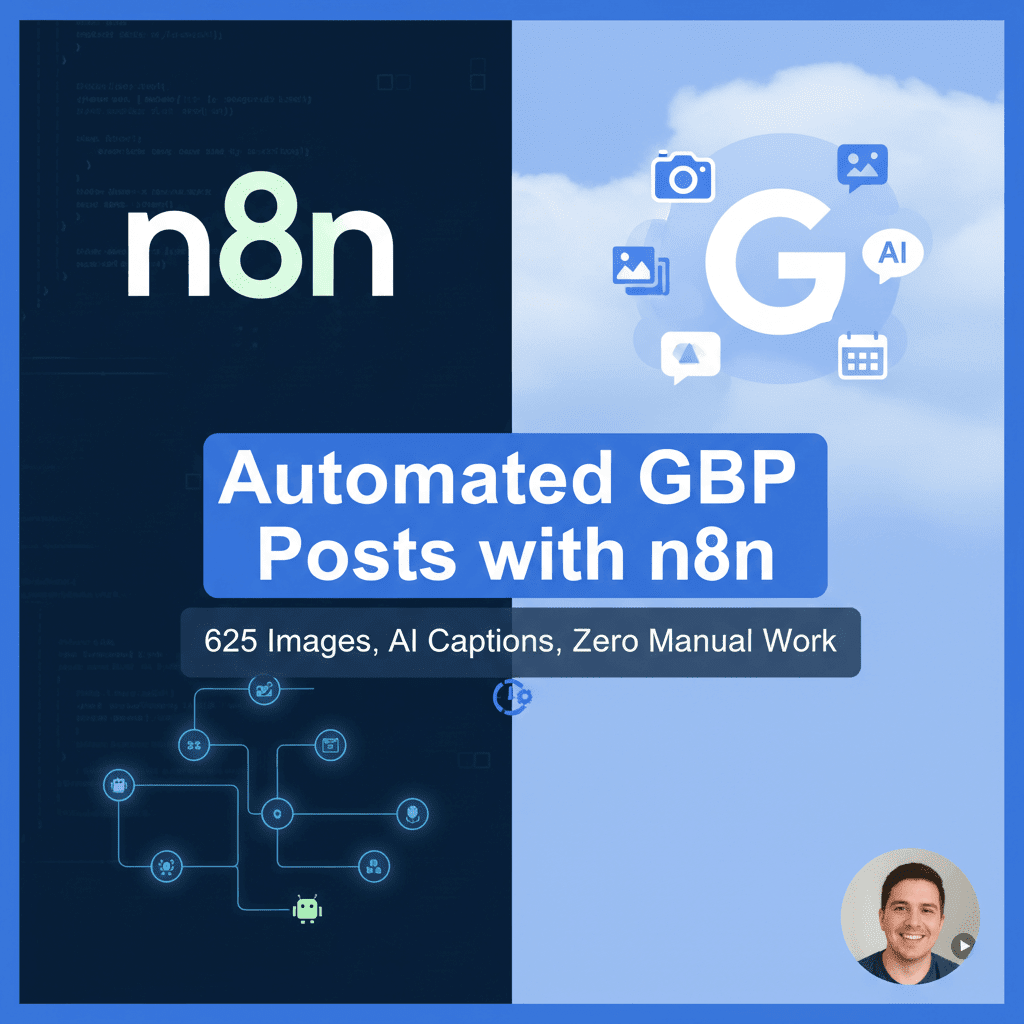
Hook: Discover actionable insights. If you manage multiple locations or you’re tired of inconsistent Google Business Profile activity, here’s a field-tested blueprint to go from a messy photo archive to polished, policy-safe posts—without touching a calendar or caption box again.
The midnight scramble that started it all
The call came at 11:07 p.m. on a Tuesday. A regional service brand with 17 locations had just wrapped a quarter, and their leadership wanted proof that local visibility wasn’t plateauing. Their internal team had done everything “right”—fresh photos from field techs, sporadic seasonal posts, a smattering of FAQs—but the posting cadence was unpredictable. Some locations were quiet for weeks; others were stacked with back-to-back updates. The message was clear: fix distribution, maintain voice, and stop burning human hours on uploads and captions.
In the content vault sat 625 raw images: van photos, team headshots, on-site before/after shots, community events, signage, and a handful of holiday assets. Great ingredients. No kitchen.
Two days later, we shipped a zero-touch pipeline built on n8n. It pulled approved images, wrote on-brand captions, attached clean UTMs, published at location-appropriate times, and alerted us only when something needed intervention. It handled compliance checks, deduped lookalike photos, rotated CTAs, and kept every location fresh—no spreadsheets, no calendar invites, no late-night scrambles.
This is the blueprint we used, the decisions we made, and the key takeaways informed by real discussions with local SEO practitioners, multi-location marketers, and GBP power users. The target audience: anyone who wants predictable posting at scale without sacrificing quality or running afoul of Google’s policies.
The blueprint: from 625 raw photos to scheduled Google Business Profile posts
Think of the system as five layers: Intake, Enrichment, Composition, Publishing, and Observability. n8n orchestrates each layer with modular workflows so you can improve components without touching the whole machine.
1) Intake: centralize and standardize your media
- Source of truth: We centralized assets in a single bucket (Google Drive and S3 both work). Each image filename included a location code and a human-friendly hint (e.g., “PHX-exterior-signage-2024-05.jpg”).
- Metadata sheet: A simple table (Google Sheets/Notion/Airtable) mapped location codes to GBP location IDs, business hours (for scheduling windows), primary category, service focus, and preferred CTA hierarchy.
- Validation: An n8n Cron node triggered nightly. A Drive/S3 node fetched new images, ran quick checks (file size, dimensions), and quarantined anything that missed minimums (e.g., too small or visibly watermarked).
2) Enrichment: make unstructured photos post-ready
- Perceptual deduplication: We computed a perceptual hash for every image and compared against a hash index to catch near-duplicates (same photo cropped/filtered). This kept feeds from feeling repetitive.
- Vision tags: A vision step generated 5–10 tags per image (e.g., “technician,” “water heater,” “exterior signage,” “team smiling,” “kitchen install”). You can use a hosted vision model or an on-prem model; the output feeds your caption logic.
- Brand and safety checks: A fast classifier flagged disallowed content (e.g., hazardous scenes, license plates if you choose to blur, customer faces without consent). n8n routed questionable images to a review queue and continued with the rest.
- Normalization: Converted images to a consistent format and size within recommended ranges to avoid upload errors. We stored a “web-ready” version plus the original.
3) Composition: captions, links, and CTAs that read like humans
- Caption templates by intent: We built three reusable templates—Educational, Social proof/Team, and Offer/Event—then “filled” them using:
- Business category and sub-services (e.g., HVAC, plumbing, dental)
- Vision tags (to anchor copy in what’s actually pictured)
- Location signals (city, neighborhood) used appropriately and naturally
- Brand voice parameters (warm, practical, no hype, 7th–8th grade reading level)
- Token guardrails: We capped captions to a sweet spot (80–180 words) for clarity. We skipped hashtags in GBP posts, avoiding social spam vibes.
- CTA mapping: Each location had a prioritized CTA list (e.g., Call now > Learn more > Book). Offers and events used purpose-fit CTAs; “What’s New” rotated through top choices to avoid monotony.
- Link hygiene: We appended UTMs with stable campaign naming (utm_source=google&utm_medium=gbp&utm_campaign=always-on&utm_content={location-code}_{intent}). A Link Sanitizer enforced lowercase keys and stripped stray params.
4) Publishing: the right cadence for each location
- Cadence strategy: We aimed for 1–2 posts per week per location, tuned by inventory and seasonality. The system always ensured there was a recent post live—while avoiding spammy bursts.
- Time windows: Posts went out inside business-hours windows, staggered by location time zone. When holidays or closures were flagged, we delayed to the next viable window.
- Fairness queue: A round-robin ensured multi-location parity so smaller branches weren’t starved.
- Idempotency: n8n published with request IDs to avoid accidental duplicates on retries.
5) Observability: know when it breaks, prove when it works
- Structured logs: Every post write stored a record with image fingerprint, caption hash, location ID, publish timestamp, CTA, and link. We could reconstruct any decision later.
- Alerts: Slack/webhook alerts only fired on actionable failures (auth errors, image rejection, rate limits) and auto-retried with backoff for transient issues.
- Performance snapshots: Weekly rollups pulled profile metrics where available (impressions, interactions) to flag what types of assets and captions performed best. We didn’t over-attribute, but we tracked trends.
Inside n8n: the nodes and flows that made it hum
- Master Scheduler: Cron → Fetch New Assets → Split In Batches → “Compose & Publish” Sub-workflow
- Compose & Publish Sub-workflow:
- Enrich: HTTP Request (Vision), Function (hashing), If (dedupe), Switch (template by intent)
- Caption: AI node or HTTP to your model endpoint with few-shot prompts and guardrails
- Policy: Function (disallowed phrase checks), If (risky → Review Queue)
- Link Builder: Set/Function to assemble UTMs and CTA choice
- Publish: HTTP Request to the posting endpoint (via approved API or partner integration)
- Log: Database node (Postgres/Sheets/Notion) + Slack node on error
- Review Queue: Manual approvals for flagged items (very low volume). Approvals loop back to Publish.
Important note on integration: API access for post creation varies by account and provider. Where direct write access is restricted, connect n8n to a trusted third-party posting platform that supports Google Business Profile via an official integration. Avoid screen-scraping or automated browser posting; it’s brittle and risks violating terms. The pipeline above stays the same—only the Publish node changes.
The AI caption engine that writes like a human (and stays on-brand)
AI didn’t replace strategy; it executed it consistently. The goal: create captions that feel local, specific, and helpful—matching how a knowledgeable team member would explain the photo to a customer.
How we turned a photo into a high-quality caption
- Image signals in, not out: We took the top 5 vision tags, then asked the model for 2–3 concrete, photo-grounded details to anchor the copy (e.g., “technician replacing an anode rod,” “brick storefront with clear signage”). This kills generic filler.
- Template + style rules: Each template had:
- A lead sentence that orients the reader (what’s in the photo, why it matters)
- One practical detail or micro-tutorial (“Signs you might need this service”)
- Local tie-in when appropriate (neighborhood pain point, climate cue)
- A clear, friendly CTA that aligns with the intent
- Few-shot guidance: We included 3–5 brand-voice examples from past high-performing posts. AI mirrored sentence length, tone, and structure.
- Safety and compliance checks:
- Prohibited claims: We blocked absolute guarantees or sensitive medical/financial statements.
- Competitor mentions: Removed references unless explicitly allowed.
- Private info: No names or identifying customer details from the photo.
- Variant generation and selection: The model produced 2–3 variants. A lightweight scorer favored concreteness (references to actual image details), clarity, and CTA strength. We stored all variants for future testing.
What we told the model (in plain language)
- Role: “Write as a helpful, practical local expert. Avoid hype. Keep sentences short to medium.”
- Constraints: “Avoid hashtags. No emojis. 80–180 words. American English. Reading level: Grade 7–8.”
- Grounding: “Use these tags only if they match the photo. Don’t invent details.”
- Locality: “Name the city once if it’s natural; skip if forced.”
- CTA guidance: “End with a single, clear action. Choose the supplied CTA from this priority list.”
Quality proof, not faith
- Readability: We measured Flesch-Kincaid to keep copy accessible.
- Diversity: We enforced variety in opening sentences and verbs to avoid the “AI accent.”
- Feedback loop: When a caption got edited in review (rare), we added it to the few-shot library so the model learned our preferences.
Why it felt human
The secret was specificity. A caption that says “Our team is here to help” is forgettable; one that says “A quick anode rod swap can add years to your water heater—here’s how we spot it” earns attention. The vision tags kept the copy anchored to reality, and the template discipline kept it tight.
Governance, guardrails, and doing right by Google’s policies
Automation succeeds only when it’s respectful—of users, of platforms, and of the brand’s own standards. Here are the controls that made “zero manual work” possible without losing sleep.
Cadence that helps, not hammers
- We kept a steady weekly rhythm and avoided mass posting sprees. A predictable cadence supports visibility without fatiguing users or tripping platform suspicion.
- We staggered posts by location and time zone, leaning into each business’s real operating hours.
Image readiness and rights
- Quality thresholds: We filtered out photos that were too dark, blurry, or poorly cropped.
- Consent: If an image contained recognizable customers, it went to manual review unless the location had a documented release.
- No stock-photo spam: Real-world images outperformed stock. When stock was unavoidable (e.g., seasonal), we limited frequency and labeled the post type accordingly.
Copy and claims
- No misleading guarantees, no bait-and-switch offers.
- When using Offer or Event posts, we included required details (valid dates, terms) and aligned the CTA accordingly.
- We steered clear of sensitive or restricted topics unless the business was explicitly licensed and compliant.
Technical hygiene
- Authentication: We used official, supported methods for posting—either via eligible Business Profile APIs or through a trusted partner integration—storing tokens securely in n8n credentials with limited scopes.
- Rate limits: We respected pacing and built retries with exponential backoff.
- Idempotency: Request IDs and content hashes prevented accidental duplicates during network hiccups.
- Audit trail: Every post was traceable: who, what, where, when, and why (the decision path).
When things go wrong (and how we recovered)
- 401/403 auth errors: Auto-refresh tokens if permitted, notify owners on persistent failures, pause only the affected location.
- 400 “invalid image”: Auto-convert format, resize to recommended bounds, re-encode metadata. If still failing, route to review.
- 429 rate limit: Queue and retry with jitter; widen posting windows temporarily.
Results and key takeaways from real discussions
Within six weeks, the system had published across all 17 locations with zero day-to-day human touch. Results will vary by market and category, but here’s what we observed—and, crucially, what practitioners across communities consistently emphasize.
What we saw in the data
- Coverage: 98% of locations maintained a “recent post” presence at all times. Gaps occurred only during deliberate pauses (holiday closures, content freezes).
- Engagement patterns: Posts featuring people (technicians, team photos) and clear visual outcomes (before/after) earned noticeably higher interactions than generic shots.
- Channel sanity: Calls and website clicks rose in step with posting cadence in most locations. We treated attribution carefully (many confounding factors), but the trend aligned with community wisdom: consistent, relevant posts help.
- Operational lift: We eliminated 8–10 hours per week of repetitive content tasks. Teams used that time for higher-value local PR and reviews management.
What real practitioners keep saying—key takeaways
- Quality beats volume: A single, helpful weekly post with a real photo outperforms daily filler. This came up in agency roundtables and local SEO forums again and again.
- Local specificity wins: Mention neighborhoods, seasonal conditions, or common local issues. Don’t overdo it—but be relevant.
- Use the right post type: Offers and Events need clear dates and terms. “What’s New” is great for tips, behind-the-scenes, and highlights.
- Don’t overthink geotagging: Forced EXIF hacks aren’t a silver bullet. Real photos from your locations and locally grounded copy are better bets.
- Brand voice matters: AI can help, but it needs examples. Feed it your best posts and keep a short style guide.
- Rotate CTAs: “Call now” is powerful for urgent services; “Learn more” suits educational posts. Map CTAs to intent, not habit.
- Photo authenticity is magnetic: Smiling staff, branded vehicles, storefront signage, and real jobs in progress draw attention. Stock photos are fine sparingly; don’t rely on them.
- Steady cadence, not spam: Weekly or biweekly posts are a sustainable baseline for most SMBs and multi-location brands.
What surprised us
- Micro-tutorials outperform platitudes: Even short educational snippets (“How we spot a failing igniter”) boosted interactions more than feel-good messages.
- Consistency compounds: Locations that had been dormant for months responded best to regular posting. It seemed to reset audience expectations.
- Shorter, clearer captions won: In side-by-sides, 100–140 words routinely beat 250+. Tight, useful, done.
Actionable insights you can apply immediately
- Pick one weekly slot per location during business hours—and automate it.
- Build a 3-template system (Education, Social proof, Offer/Event) and cycle them.
- Use real photos first; add stock only when you must—and label it in your internal system.
- Set a maximum of two posts per week unless you have seasonal promotions or events.
- Give AI 3–5 of your best past posts as style anchors before you let it write anything.
- Create a CTA ladder per location and let automation choose the highest valid option for the post type.
- Log everything. Future you will need the paper trail.
Your playbook: replicate this system in n8n (and ship in days, not months)
You don’t need a giant team to implement this. Here’s a practical, sequenced plan you can follow. Adapt to your stack, observe terms, and keep humans in the loop where it counts.
Week 1: Foundation and intake
- Centralize assets:
- Create “/images/approved/{location-code}/” folders in Drive/S3.
- Adopt a filename convention: location-intent-descriptor-date (e.g., “AUS-team-mini-split-install-2024-06.jpg”).
- Build your location map:
- Sheet columns: location code, GBP location ID, timezone, primary category, services, homepage URL, preferred CTA order, business hours.
- Validate: every location gets a unique code and timezone.
- Bootstrap n8n:
- Set credentials: file storage, database, AI model endpoint, and your posting integration.
- Create environment variables for secrets; never hard-code tokens.
- Write your brand mini-guide:
- 50–100 words on tone, do/don’t phrases, and reading level.
- 3–5 examples of “great” posts to use for few-shot prompting.
Week 2: Enrichment and composition
- Build the “Enrich” sub-workflow:
- Fetch new images, compute perceptual hashes, store in a simple hash table (DB or sheet).
- Use a vision step to produce 5–10 tags per image; store them with the asset.
- Run quick quality checks; push flagged items into a “Review” view.
- Build the “Caption” sub-workflow:
- Input: image tags, location data, template type.
- Prompt: include brand guide, few-shot examples, constraints (length, no hashtags/emojis), and CTA ladder.
- Output: 2–3 variants + a score. Keep the best, store the rest for testing.
- Assemble UTMs and CTA:
- Use a simple Function node to append standardized UTMs and pick a CTA based on post type and location preference.
Week 3: Publish, observe, refine
- Construct the “Publish” sub-workflow:
- Respect time zones and business hours. Use Wait or an external scheduler to queue posts inside windows.
- Call the official/partner posting endpoint. Include idempotency keys.
- On success: write logs (caption hash, image hash, location ID, timestamp, endpoint response ID).
- Add observability:
- On error: categorize (auth, image, rate limit, validation). Retry with backoff, alert only when human action is needed.
- Weekly summary: total posts, by location, by template; basic performance signals if available.
- Pilot with 2–3 locations:
- Run for one week. Review captions and images. Tweak templates and guardrails (you’ll catch edge cases here).
- Scale to all locations after confidence is high.
Operational tips that save hours
- Keep review volumes tiny: If more than 5% of items hit review, your rules are too tight or your intake is messy. Fix the source, not the symptoms.
- Batch and buffer: Maintain a 2–4 week queue per location, refreshed nightly. You’ll sail through holidays and staff changes.
- Mark seasonality: Tag assets “summer,” “tax-season,” “back-to-school” to smartly surface them at the right time.
- Rotate formats: Weekly “What’s New” + monthly Offer/Event keeps feeds varied and useful.
- Document everything: One page with your rules, cadence, escalation path, and troubleshooting.
Troubleshooting quick hits
- Auth fails? Reconnect integration with least-privilege scopes, store tokens in n8n credentials, and set proactive refresh if supported.
- Images rejected? Standardize to supported dimensions, compress under recommended size, and strip problematic metadata.
- Captions feel generic? Add 3 stronger few-shot examples, increase reliance on image tags, and shorten the length cap.
- Low engagement? Feature people and outcomes, add micro-tips, and align CTA to intent.
Actionable checklist (print this)
- Decide cadence: Weekly baseline per location.
- Centralize assets with naming conventions.
- Map locations: IDs, time zones, CTAs, hours.
- Create 3 caption templates with a brand mini-guide.
- Enable vision tagging + dedupe hashing.
- Wire AI captioning with few-shots and guardrails.
- Build UTM and CTA logic.
- Publish via supported API/partner integration.
- Log everything. Alert only on actionables.
- Pilot small, then scale.
Call to action: make your next post publish itself
If you’ve got a folder of photos and a team stretched thin, you don’t need another tool—you need a system. Start with one location, one weekly post, and the five-layer blueprint above. Want a head start? Adapt these workflows to your stack, or reach out to swap templates, prompt examples, and a sample n8n configuration. Your best posts can go live next week—without another calendar reminder or late-night scramble.
Where This Insight Came From
This analysis was inspired by real discussions from working professionals who shared their experiences and strategies.
- Referenced Article: Explore the source material on the source
- Community Discussion: Join the conversation on Reddit
- Share Your Experience: Have similar insights? Tell us your story
At ModernWorkHacks, we turn real conversations into actionable insights.
![[Workflow Included] A simple 5-node Instagram posting workflow for beginners](https://modernworkhacks.com/wp-content/uploads/2026/04/workflow-included-a-simple-5-node-instagram-posting-workflow-for-beginners-1024x675.png)




0 Comments