
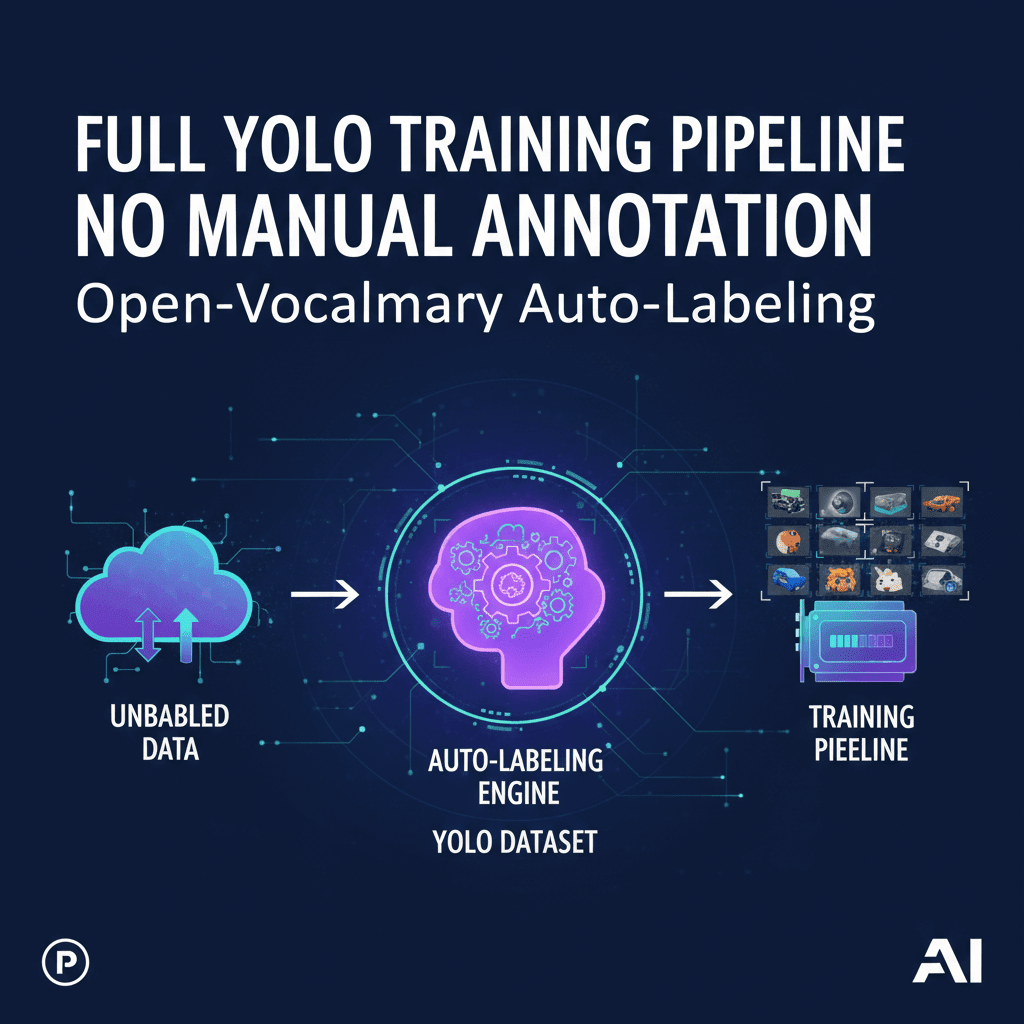
Hook: Discover actionable insights from practitioners who have shipped open-vocabulary detection systems in production. This is a from-the-trenches blueprint for training YOLO with almost zero hand-labeling—focusing on practical choices, hard-won lessons, and reliable patterns that actually scale.
The Story: A Bottleneck, a Deadline, and an Unexpected Shortcut
Three weeks before a robotics pilot, we hit a wall. Our training data was sparse and messy. We had hundreds of hours of camera footage from a warehouse, but only 1,400 annotated frames—nowhere close to what we needed for robust detection of pallets, forklifts, and odd-shaped boxes. The annotation vendor’s estimate: two weeks just to queue, three weeks to complete. The pilot would be over by then.
Desperation tends to sharpen creativity. In a late-night session, we asked a blunt question: could we skip manual annotation entirely for the first iteration? The answer seemed reckless—until we started layering open-vocabulary vision models. One model could propose where objects might be; another could segment; another could match text prompts like “wooden pallet,” “forklift,” “tote,” and “shrink wrap.” We fused their outputs into pseudo-labels and pushed them through a YOLO training loop. Two days later, we had a prototype model that, while imperfect, was shockingly useful. It detected pallets reliably and flagged anything that “looked like a forklift” with high recall—enough to operationally gate robot behavior.
What began as a hack evolved into a pipeline: a data engine that continuously harvested video, auto-labeled it with open-vocabulary detectors, trained a YOLO model, and prioritized edge cases for human review only when strictly necessary. This article distills the system architecture, implementation details, and the most important lessons learned—from our journey and from a chorus of practitioners who tackled similar problems in manufacturing, retail, mapping, and agriculture.
Architecture: The Annotation-Free YOLO Pipeline
At its core, the pipeline is a loop. Data flows from the real world to models and back again, improving with each cycle. The goal is to replace the classic “label everything first” paradigm with a “label only what matters, when it matters” approach powered by open-vocabulary models.
1) Data Lake and Ingestion
Your raw inputs are images and video from diverse sources: fixed cameras, mobile robots, drones, phones. Every asset gets normalized (resolution, color space), hashed for deduplication, and stored with metadata: timestamp, location, device, lens, motion, and environmental conditions. This metadata is essential for later sampling and stratified evaluation.
2) Open-Vocabulary Proposals
Instead of annotators drawing boxes, we use models that understand text prompts. Think of them as “proposal generators” that can answer: “Show me things that look like ‘forklift’, ‘pallet’, ‘wooden crate’, ‘warehouse worker’, ‘safety vest’, ‘tote’, ‘conveyor belt’, ‘carton’.” Common patterns:
- Open-vocabulary detectors: Models that predict bounding boxes conditioned on text prompts and return confidence scores per phrase.
- Segmentation assist: Segmentation models can refine bounding boxes into tighter masks; you then optionally convert masks back to boxes to match YOLO training formats.
- Text-image alignment: Text embedding models help score the semantic match between a region and a prompt (or synonyms) for extra confidence.
3) Fusion and De-duplication
Multiple weak detectors are fused into strong pseudo-labels. This involves non-maximum suppression across models, IoU-based merging, score calibration, and class ontology mapping. A crucial step is handling overlapping labels: “tote” vs. “bin,” “pallet” vs. “skid,” “forklift” vs. “pallet jack.” You enforce a canonical class vocabulary and define rules for merging or suppressing conflicts.
4) Prompt Management and Ontology
Open-vocabulary models are only as good as your prompts. You maintain a prompt dictionary that includes synonyms, regional names, and negative cues (e.g., “ignore people-shaped mannequins” in retail). Over time, the “prompt library” becomes your soft ontology—more flexible than a fixed label set, yet still enforceable at training and evaluation time.
5) Training YOLO as the Student Model
YOLO trains on the pseudo-labels. It becomes a compact, fast, domain-tuned detector—the student—distilled from the ensemble of open-vocabulary teachers. Each training cycle includes data augmentation, calibrated class weights, and a held-out validation set that you occasionally spot-check with a few human-labeled frames for ground truth.
6) Active Learning and Hard Negatives
The student model predicts on new data; you filter for high-uncertainty frames, frequent false positives, or rare scenarios (backlighting, reflections, motion blur). Only those assets get human attention. Labeled corrections feed back into the pseudo-label pipeline—either as explicit rules (prompt tweaks) or as high-quality seeds for the next training round.
Building Blocks and Practical Choices
There’s no single “right stack,” only trade-offs. The patterns below capture what consistently works.
Open-Vocabulary Detection
- Broad coverage beats single-model supremacy: Ensembling two or three complementary detectors improves recall and robustness across lighting and backgrounds. Favor diversity over marginal accuracy gains from one model.
- Prompt breadth and specificity: Use both generic prompts (“box,” “vehicle”) and specific ones (“orange safety cone,” “euro pallet”). Specific prompts reduce false positives; generic prompts boost recall when you don’t know what to expect.
- Negative prompts: Maintain a list of “things to ignore,” especially lookalikes. For example: “reflective tape,” “floor markings,” “posters.” Use them to suppress easy distractors.
Segmentation for Box Refinement
- Mask-to-box tightening: For irregular shapes, refine proposal boxes with segmentation masks, then convert masks to tight boxes. It reduces box padding and improves IoU against human labels when you sample-check.
- Edge-aware pruning: Masks help discard spurious detections that lack contiguous edges (e.g., detecting a “forklift” out of shadows on the floor).
Scoring and Calibration
- Per-class score normalization: Confidence scores across models aren’t calibrated. Normalize per class via temperature scaling or isotonic regression learned from a small validation slice.
- Hierarchical tie-breaking: If overlapping boxes have comparable scores for related classes, prefer the more specific class unless the generic score is significantly higher.
- Threshold schedules: Use higher thresholds in visually noisy scenes and lower thresholds in low-variance environments. Encode this as metadata-aware rules.
Ontology and Class Collapsing
- Start wide, converge later: In early cycles, keep more classes than you really need. Collapse synonyms after observing the confusion matrix.
- Upstream naming, downstream mapping: Let open-vocabulary prompts be verbose; map them to concise YOLO classes at export time.
Data Operations
- Asset fingerprinting: Hash every frame to prevent duplicate sampling. This avoids overfitting from near-identical frames in long video sequences.
- Stratified batch construction: Build batches that mix camera angles, times of day, and environments to stabilize training.
- Frame decimation: For video, sample per scene change, not per second. Low-motion scenes provide little diversity; prioritize novelty.
Implementation Blueprint: From Raw Data to a Trained YOLO Model
Below is a concrete, reproducible sequence that teams have used to get from zero labels to a trained detector rapidly. Adapt names and thresholds to your domain.
1) Ingest and Organize
- Collect images and videos. Normalize image size and color space. Extract frames at adaptive rates (scene-change detection beats fixed FPS).
- Store per-asset metadata: device ID, lens, location, lighting estimate, motion blur score, timestamp, and environment tag (indoor/outdoor).
- Compute perceptual hashes for deduplication; retain only one copy of near-identical frames with preference for sharper images.
2) Generate Pseudo-Labels with Open-Vocabulary Models
- Define an initial prompt library: 10–30 target classes, each with synonyms and a few negatives. Include style variants (“forklift,” “lift truck”), materials (“wooden pallet,” “plastic pallet”), and common lookalikes to suppress.
- Run two or more open-vocabulary detectors across the dataset. For each detection: record bounding box, class phrase, and raw score per model.
- Optionally run segmentation refinement on boxes above a class-specific confidence threshold, then convert masks to tight boxes.
- Apply cross-model NMS and IoU-based merging. Keep the union class with the highest calibrated score; for conflicting labels, prefer specific over generic unless score gap exceeds your threshold.
- Apply per-class calibration curves learned from a small subset you manually reviewed (50–200 boxes can be enough to fit a basic calibration).
3) Clean, Filter, and Export to YOLO Format
- Remove boxes near image borders if your target objects are fully visible in most use cases; retain border crops if partial objects matter (e.g., safety compliance).
- Filter tiny boxes below a minimum pixel area to avoid noise unless small objects are a requirement.
- Map verbose phrases to canonical YOLO class names; collapse synonyms.
- Export images and labels in YOLO format, ensuring consistent class indices and train/val/test splits. Use camera- and time-stratified splits to avoid leakage.
4) Train the YOLO Student
- Backbone and size: Start with a medium model for stability. If latency matters, graduate to small or nano after proving accuracy.
- Augmentations: Mix mosaic, HSV shifts, random perspective, copy-paste for underrepresented classes, and light blur/noise. Avoid heavy distortions until you’ve validated base performance.
- Losses and optimization: Use standard detection losses with EMA on weights. AdamW or SGD both work—pick based on your training dynamics; cosine LR schedule is a solid default.
- Warmup: Freeze early backbone layers for the first few epochs to stabilize on pseudo-label noise; unfreeze gradually.
- Class weights: If class imbalance is severe, use inverse-frequency weighting or over-sample rare-class images.
- Validation: Evaluate mAP on a held-out set; also compute per-class precision/recall and confusion matrices. Keep a tiny hand-labeled slice (even 100 images) for a reality check.
5) Deploy the Student for Mining and Feedback
- Run the YOLO model over new data. Collect low-confidence detections and high-loss samples as candidates for review.
- Generate a queue of “hard frames” featuring false positives, missed detections, or rare environments (e.g., night shift, rain, motion blur).
- Review a small percentage manually to calibrate prompts and thresholds. Feed corrections back into the pseudo-label generator and retrain.
6) Iterate with Targeted Human Input
- Adopt a policy: humans only annotate disagreement zones—e.g., where detectors disagree, or where student predictions are consistently low confidence.
- Create negative sets: curated images with known “not-class” examples for frequent confusions. Include them in training with background emphasis and hard negative mining.
- Refresh class definitions and prompts with each cycle. Track when a class behaves as a superset; decide to split or collapse accordingly.
What Actually Worked: Key Takeaways from Real Discussions
Across interviews, meetups, and day-to-day collaboration among teams trying this approach, certain patterns consistently emerged as decisive. Here’s what floats to the top.
- A little human calibration goes a long way: 100–200 hand-reviewed boxes are often enough to calibrate scores, set thresholds, and avoid catastrophic false positives.
- Plural prompts beat singular ones: Using both “forklift” and “forklifts” consistently improved recall in crowded scenes. Slight phrasing changes help open-vocabulary models generalize.
- Metadata-aware thresholds matter: Night scenes and glare-heavy conditions benefit from stricter confidence thresholds. Encoding environment-aware rules reduced false positives by double digits.
- Mask refinement pays off when class shapes are irregular: For classes like “pallet wrapped in plastic,” segmentation-based tightening reduced mismatched boxes and improved mAP on the validation slice.
- Class collapsing stabilizes training: Early confusion between similar classes (e.g., “tote” vs. “bin”) can derail the student. Collapsing to a single class until the student strengthens prevents divergence.
- Active learning queues are gold: Instead of labeling random frames, mining for low-confidence and disagreement cases produced 3–5x greater performance gain per annotation hour.
- Don’t chase perfect pseudo-labels: YOLO tolerates noise if errors are consistent. Spend effort reducing systematic bias (e.g., reflective floors) rather than polishing every box.
- Teacher-student loops prevent drift: Periodically distilling the ensemble into YOLO, then using the new student to re-score data, helped maintain precision as environments changed.
- Rare classes need synthetic boosts: Copy-paste, texture randomization, and simulated lighting variations helped minority classes punch above their dataset weight.
Common Pitfalls and How to Fix Them
- Problem: The model learns to love background patterns (e.g., floor grids, wall posters). Fix: Add hard negatives featuring these patterns; include negative prompts; crop augmentation that breaks context reliance.
- Problem: Overlapping classes balloon false positives (e.g., “box” vs. “carton”). Fix: Use hierarchical suppression rules and class collapsing; prefer specific labels during fusion and generic ones during training only if needed.
- Problem: Video redundancy leads to overfitting. Fix: Enforce deduplication by perceptual hashing and sample per scene change.
- Problem: Model confidence is miscalibrated across conditions. Fix: Train simple calibration models per class; use temperature scaling per environment (day/night, indoor/outdoor).
- Problem: Pseudo-labels drift over time as equipment or lighting changes. Fix: Schedule periodic re-prompting and re-ensembling; keep a small, rotating, human-verified validation slice.
- Problem: Training crashes due to label format errors. Fix: Strict schema validation pre-export; unit tests for class index consistency and box bounds.
- Problem: Underperforming minority classes. Fix: Oversample, use copy-paste, and focus active learning selection on those classes’ errors.
Measuring Success Beyond mAP
mAP is necessary but insufficient. Teams that succeed measure the pipeline’s behavior across conditions and its operational impact.
- Per-scenario mAP: Break down performance by camera, illumination, scene type, and motion. Track trends per segment.
- Calibration metrics: Expected calibration error (ECE) per class and environment; aim for confidence that reflects reality to enable rule-based thresholds.
- Error taxonomy: Maintain counts of false positives due to reflections, posters, mannequins, shadows. Fix classes of errors rather than chasing individual boxes.
- Operational metrics: Time-to-detect, missed incident rates, and intervention frequency in the downstream application. These correlate more strongly with business value than raw mAP.
- Annotation efficiency: “mAP gain per human hour” is a powerful KPI for deciding when to label more vs. adjust prompts.
Cost, Speed, and Quality Trade-offs
An annotation-free pipeline redistributes cost from labeling to compute and engineering. The goal is to minimize human hours while keeping cloud bills sane and results trustworthy.
- Compute batching: Run proposal models in batched inference on GPUs to amortize overhead. Prioritize scenes with higher novelty scores to avoid wasting cycles.
- Hybrid schedules: Heavy, high-recall ensembles can run weekly for deep mining; a lightweight open-vocabulary detector can run daily for freshness.
- Storage vs. recompute: Storing intermediate embeddings and masks speeds iteration but costs more storage. For rapidly changing ontologies, recomputing may be cheaper than maintaining stale artifacts.
- Human-in-the-loop placement: A small, well-instrumented review step removes the harshest errors and protects your reputation while keeping headcount low.
- Student distillation: Once YOLO reaches target precision, disable the heaviest teachers for daily ops; bring them back only when performance slips.
Actionable Checklists and Templates
Prompt Library Starter
- For each class, define: 3–5 synonyms, 2 style variants, 2 materials, 3 negatives.
- Examples for “pallet”: pallet, pallets, wooden pallet, plastic pallet, skid; negatives: floor pattern, shadow, poster.
- Examples for “forklift”: forklift, lift truck, forklift vehicle; negatives: pallet jack, trolley, shadow.
- Add pluralization and regional terms used on the floor.
Fusion Policy
- Cross-model NMS at IoU 0.6 for same-class boxes; 0.5 for related classes.
- Merge scores via calibrated mean; if classes differ, prefer specific over generic unless delta score > 0.15.
- Discard boxes under area threshold unless class is “small object” category.
- Apply environment-aware thresholds: +0.1 at night, +0.05 with glare detected.
YOLO Training Defaults
- Image size: 640 or 768 for balance; adjust to your latency constraints.
- Augmentations: mosaic 0.5, HSV 0.4, random perspective 0.000–0.01, blur 0.0–0.1, copy-paste 0.1.
- Optimizer: AdamW or SGD with momentum; cosine LR schedule; warmup 3–5 epochs.
- EMA on weights; early backbone freeze (first 2–5 epochs) on pseudo-label noise.
- Evaluation: per-class PR curves, confusion matrix, per-environment breakdown.
Active Learning Triggers
- Low-confidence predictions near decision thresholds.
- Disagreement between teachers and student on class or localization.
- Rare conditions: motion blur, backlight, rain, unusual viewpoints.
- High-loss batches and frames with many small objects.
Quality Gate Before Deployment
- No more than 2% catastrophic false positives on critical classes (define by downstream risk).
- Calibrated confidence: ECE under 0.05 for high-stakes classes.
- Manual spot check: at least 200 predictions across diverse conditions with an error taxonomy review.
- Latency and throughput tests on target hardware with realistic batch sizes and image resolutions.
An End-to-End Example Timeline
Here’s a realistic, time-bound plan you can copy, assuming data already exists and you have access to GPUs for inference.
- Day 1: Build data catalog; run deduplication; define initial prompt library; process a 10k image sample.
- Day 2: Run open-vocabulary detectors; fuse outputs; segmentation refinement for 5 target classes; export pseudo-labels; train first YOLO baseline.
- Day 3: Validate on a 500-image holdout; hand-label 100 images for calibration; adjust thresholds and fusion rules; retrain.
- Day 4: Deploy the student to mine hard frames; curate negative sets; add copy-paste augmentation for minority classes; retrain.
- Day 5: Integrate active learning loop; set up dashboards for per-environment metrics and error taxonomy; ship a pilot-ready model.
Frequently Asked Questions
Can I really avoid manual labels entirely?
In early iterations, yes—especially for proof-of-concept and internal pilots. For high-stakes deployments, small targeted human reviews provide disproportionate value. The sweet spot is “minimal manual labels, maximally targeted.”
Will the student model just learn teacher biases?
Some bias transfer is inevitable. Mitigate it via diverse teachers, calibration, explicit negatives, and periodic human-verified slices. Over time, the student becomes the best domain detector when trained on diverse pseudo-labels plus a sprinkle of curated truth.
How do I know when to collapse or split classes?
Watch confusion matrices and operational errors. If two classes are mutually confused and business impact is similar, collapse. If their mistakes have distinct costs (e.g., safety vs. logistics), split and add targeted data and prompts.
A Mini-Playbook for Different Domains
Retail Shelves
- Prompts: “cereal box,” “beverage can,” “price tag,” “promo sticker.”
- Pitfalls: glare, reflections, repeating patterns. Use negative prompts for “reflection,” “poster,” and segmentation for tight boxes.
- Active learning: prioritize frames with dense small objects and high clutter.
Agriculture
- Prompts: “ripe apple,” “unripe apple,” “leaf,” “blossom.” Include color and growth-stage synonyms.
- Pitfalls: lighting shifts, occlusions by foliage. Use temporal sampling and environment-aware thresholds.
- Active learning: mine dawn/dusk frames and wind-blown scenes.
Construction
- Prompts: “helmet,” “safety vest,” “excavator,” “scaffold.”
- Pitfalls: heavy machinery reflections and partial occlusions; prioritize segmentation refinement and border-box retention.
- Active learning: hard negatives for caution tape and signage.
From Pipeline to Product: Operationalizing the Loop
The distinction between a demo and a dependable system lies in the loop that keeps improving it. Instrument everything: data drift alarms, false positive audits, prompt change logs, and model cards. When the environment changes—a new forklift model appears, the floor gets waxed—you update prompts, re-run proposals on a small sample, and compare metrics before and after. Keep a rollback plan and a lightweight weekly “teacher refresh” job that rescans a stratified subset of the data lake to catch drift early.
Crucially, document your decisions. Why did you collapse “tote” into “bin”? What threshold changes helped at night? Which negatives suppressed the worst errors? These become institutional memory and slash future iteration time.
Actionable Takeaways You Can Use Today
- Start with a simple but diverse prompt library; include plurals and negatives.
- Ensemble two open-vocabulary detectors and, when helpful, a segmentation model for box tightening.
- Calibrate per-class scores using 100–200 hand-reviewed boxes; set environment-aware thresholds.
- Export to YOLO format with strict schema validation; freeze early backbone layers for the first few epochs.
- Use active learning: review only disagreement and low-confidence samples; build hard negative sets.
- Measure more than mAP: per-environment performance, calibration, and operational metrics.
- Iterate weekly: refresh prompts, re-mine data, retrain student, and keep a human-verified validation slice.
Conclusion and Call-to-Action
There’s a new default for computer vision projects: instead of waiting for perfect labels, you can start training today with open-vocabulary auto-labeling, then use human judgment surgically where it matters most. This approach compresses timelines from months to days, keeps costs contained, and—most importantly—aligns model improvement with real-world impact rather than annotation quotas.
If you’re facing a deadline with an under-labeled dataset, take the leap. Build your prompt library, run an ensemble to generate pseudo-labels, train a YOLO student, and ship a baseline. Then close the loop: calibrate, mine hard examples, and iterate. Want a hand? Bring your dataset and target classes, and let’s blueprint your first annotation-free training run. The fastest improvement you’ll see this quarter is the one you start this week.
Where This Insight Came From
This analysis was inspired by real discussions from working professionals who shared their experiences and strategies.
- Source Discussion: Join the original conversation on Reddit
- Share Your Experience: Have similar insights? Tell us your story
At ModernWorkHacks, we turn real conversations into actionable insights.
![[Workflow Included] A simple 5-node Instagram posting workflow for beginners](https://modernworkhacks.com/wp-content/uploads/2026/04/workflow-included-a-simple-5-node-instagram-posting-workflow-for-beginners-1024x675.png)



0 Comments