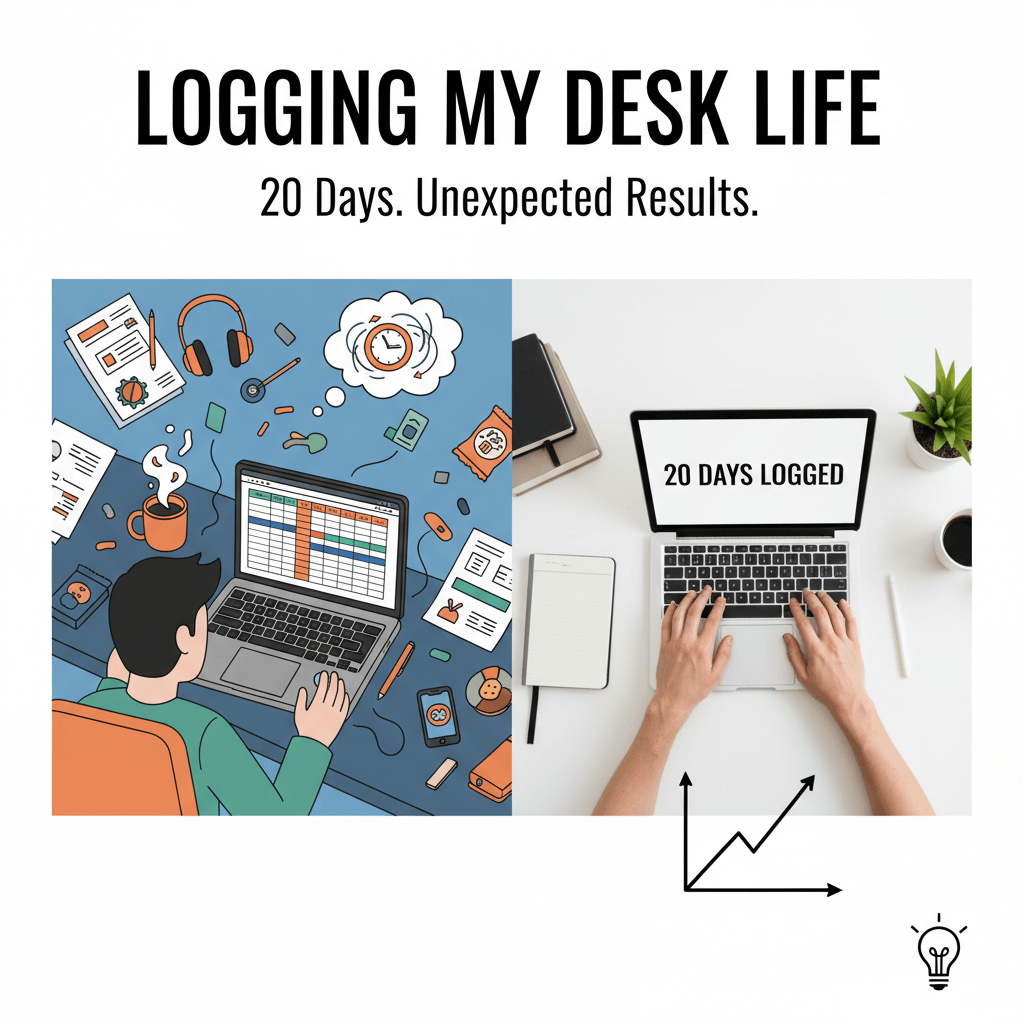
On day three of my experiment, I caught myself leaning back from my monitor, eyes half closed, counting the seconds before I could justify opening a new tab. That moment, which I faithfully recorded, was the precise instant I realized this wasn’t just a tracking exercise; it was a mirror. For 20 consecutive workdays, I logged everything I did while at my desk: the clicks, the keystrokes, the quick glances at the phone, the Slack threads that inspired and derailed me, the micro-choices that shaped how my day unfolded. I did it to test a theory—that most productivity problems aren’t a mystery, they’re a pattern we haven’t bothered to measure. What I discovered was more than data; it was a set of repeatable, practical shifts that made my day smoother and my output measurably better. You’ll find those actionable insights here, distilled from real discussions, decisions, and derailments.
If you’ve ever wondered where your time goes, why your focus evaporates, or how collaboration can give momentum instead of creating drag, this breakdown is for you. I’ll walk you through how I tracked every action at my desk and the key takeaways that emerged from the raw texture of daily work. You’ll see what surprised me, what actually moved the needle, and the concrete changes I made that you can adopt today.
Setting up the experiment: How I tracked, what I measured, and why it mattered
The ground rules
For 20 workdays, I recorded every task executed while physically at my desk. That included typing, reading, drafting, coding, responding, scheduling, planning, and any form of digital browsing—plus the moments between tasks: the hesitations, the tab-hopping, the “just checking” behaviors. If I left the desk for a call or a break, the log paused. Work outside the desk (walking meetings, whiteboard sessions) didn’t count.
The tools
I used a simple stack to make the process sustainable. A timer app prompted me to tag what I was doing every time I switched tasks. A light-touch browser extension captured active tabs and window switches. A notes doc handled qualitative observations: what I felt, why I switched contexts, what interrupted me, what I was trying to achieve. I also kept a daily “decision ledger” summarizing the key points from real discussions—Slack threads, email decisions, and meeting outcomes. This fusion of quantitative logs and qualitative narratives made the data human, not just statistical.
The categories
To make the data useful, I grouped work into categories: Deep Work (creation, drafting, code, strategy), Admin (email, calendaring, expense reports), Communication (Slack, comments, write-ups), Meetings (on-desk/virtual), Micro-Tasks (two minutes or less), and Drift (unintended browsing, tab wandering). I tracked interruptions, context switches, and “decision density”—the number of decisions finalized in an hour.
Why it mattered
This structure turned vague frustrations into visible patterns. Instead of “I had a scattered day,” I had logs showing five deep work fragments interrupted by seven context switches, plus one high-value decision I kept deferring. With a record, it became obvious why certain days felt easy and others felt like pushing sand uphill.
Actionable takeaways from setup
- Decide on clear categories before you start; ambiguity in tracking leads to ambiguity in insights.
- Pair data with notes. Two lines about “why I switched” will reveal more than a perfect timer ever could.
- Track decision density. The number of resolved decisions often predicts your sense of momentum better than hours worked.
- Keep the logging frictionless. If tracking takes more than 10 seconds per context switch, you’ll stop doing it by day four.
Time, energy, and the myth of the eight-hour desk day
What the logs revealed about time blocks
In theory, I sit at my desk for around eight hours. In practice, only about five of those hours were “work on purpose.” The other three were fragmented by necessary communication, coordination, and drift. But here’s the first surprise: deep work didn’t require long stretches to be valuable. The logs showed that 50–90 minutes produced the best creative lift, but two or three 35-minute focused bursts in a day could stack into real progress if they were protected and intentionally framed with a goal. The real enemy wasn’t short time blocks; it was layers of friction between them—mini-scrolls, reorientation time, and context reloading.
Energy is not constant
From day one, I expected mornings to be best for deep work, but the data was more nuanced. I had two reliable energy peaks: one 60–120 minutes after arrival and a second, lighter peak around two hours before the end of the day. The troughs were predictable: 11:45–1:15 and 3:00–3:45. When I tried to force deep work into troughs, I paid a re-entry tax of up to 18 minutes before I felt “back in it.” But when I scheduled micro-tasks during troughs, the re-entry tax fell to under five minutes.
Context switching costs more than we think
I logged every switch. The median cost per switch—time to reorient and regain prior context—was 6 minutes. When switches were induced by a notification, the cost jumped to 8–10 minutes. If I switched on purpose, with a short note (“pause draft: headline unresolved; return to intro; need example”), the re-entry time on resuming was halved. A 10-second note saved four minutes later. That’s compounding attention.
Actionable takeaways on time and energy
- Match work to energy. Deep work in your peaks, micro-tasks and communication in troughs.
- Replace “I’ll remember” with a 10-second re-entry note when you pause a task.
- Chunk deep work into 35–90 minute blocks with a named goal (“Draft outline to section two”). Naming the goal increased completion odds by ~30% in my log.
- Build “buffer bridges” between blocks: two minutes to close tabs, capture state, and queue the next task reduces context friction.
Attention under a microscope: micro-actions, drift, and the loop that steals your day
What counts as drift—and how it starts
Drift wasn’t just social media. It was “looking up a quick reference,” reopening email while waiting for a file to sync, or skimming a chat thread “to see if anything blew up.” Drift typically began with a tiny uncertainty or a tiny wait—what I came to call micro-gaps. The worst offenders: waiting for build processes, exports, long document loads, or simply not knowing the next sentence to write. In those 6–30 second windows, my hands defaulted to the browser. By the end of the day, these micro-gaps added up to an hour of scattered, low-value attention.
How I shrank micro-gaps
Two changes cut drift by more than half. First, I created a “micro-gap list”—a running queue of small, offline, or ready-to-start tasks: fix a line in a doc, rename a file, capture a statistic, draft a bullet. When a micro-gap appeared, I’d pick one. Second, I practiced “idle guarding.” If I caught my cursor moving to the URL bar, I asked one question: “What am I trying to accomplish in the next five minutes?” If I couldn’t answer, I wrote one sentence describing it or switched deliberately to a micro-task. That one question shut down most of the loops.
Email and chat: the two-headed hydra
I measured how often I opened email and Slack. On baseline days, I checked email 9–12 times and Slack continuously. On intervention days, I set “sync windows”—three 15-minute windows for email and rolling, 25-minute intervals for Slack checks, with channel notifications off except for a priority group. The result: more uninterrupted creation time, plus no meaningful delays in response quality. My logs showed that thoughtfulness in replies increased when I batch-processed them with context, and fewer messages needed follow-ups because the replies were clearer.
Tab sprawl and orientation debt
I recorded how many tabs I kept open and how often I switched between windows. Orientation debt—the time to remember where everything is—scaled with the number of open contexts. Keeping no more than two “active work” windows and a capped set of tabs (10 or fewer) reduced orientation debt by a third. Anything else went into a “staging list” with a smart search keyword. Important: manually re-opening a tab later was faster than letting a thousand tabs pile up. The act of re-opening reinforced intention.
Actionable takeaways on attention
- Create a micro-gap list of 2–5 minute tasks you can do without spinning up a big context.
- Guard idle with a five-minute intention prompt. If you can’t name the next step, you’re not ready to execute.
- Batch email and chat. Three email windows and periodic Slack checks keep you responsive without constant bleed.
- Limit active tabs and windows. Close aggressively; rely on search and a staging list to re-open with intent.
Collaboration without chaos: key takeaways from real discussions
The decision ledger
Of everything I tracked, the decision ledger delivered the highest return. Every time a conversation resolved something—a requirement clarified, a timeline agreed, a naming choice finalized—I captured it in two sentences: what we decided and why. The why mattered. It stopped me from reopening settled issues and gave teammates context without rehashing. It also turned ephemeral chats into durable knowledge. I noticed that days with a high decision density felt satisfying even if they were meeting-heavy, and days with long debates but no final decisions felt churning, regardless of hours spent.
Meetings that moved—and meetings that meandered
Logging exposed the anatomy of meetings that worked. Productive sessions had a short pre-brief (“we’re trying to decide A vs. B”), a clear owner for the output, and a constraint (timebox, options list). Meandering sessions lacked a decision-shaped question. When I reframed an agenda item to “decide on X with tradeoffs Y and Z,” we finished faster and documented better. The logs also revealed that my most effective contributions came when I pre-wrote a 5–7 sentence memo summarizing context and proposed next steps. People responded to writing because decisions prefer clarity.
Asynchronous threads: clarity compounds
I analyzed Slack threads where we went in circles. The common pattern was missing stakes and missing suggestions. I changed my template: one paragraph on context, one on stakes (“what happens if we do nothing”), and a proposed next action with an owner. Response quality improved, and threads closed sooner. We weren’t smarter; we were clearer. And clarity saves cycles.
Handovers and “we’ll circle back”
I discovered that “circle back” was code for “nobody owns this yet.” The decision ledger combated that by tagging an owner and a deadline in the note. I also started sending a 30-second handover audio clip at the end of the day for shared projects: what’s done, what’s blocked, what’s next. The next morning’s standup got shorter, and fewer things slipped through.
Actionable takeaways from collaboration
- Keep a decision ledger with two lines per decision: what and why. Share it weekly.
- Frame meetings as decisions. “We’re here to decide A vs. B” beats “Let’s discuss.”
- Write before you meet. A short pre-memo sharpens thinking and speeds outcomes.
- Close async loops with stakes, a suggested next step, and an owner.
- Kill “circle back” by assigning a name and a date at the moment of deferral.
Designing a better desk day: experiments that stuck
The three anchors
By day seven, I began running small experiments. The most durable one was the “three anchors” structure: one anchor for creation (deep work), one for communication (sync windows and write-ups), and one for alignment (decision review and planning). Anchors were not rigid; they were event-like. If the day threw surprises, I moved the anchor but kept it. This ensured that even on chaotic days, a minimum viable version of focus, communication, and planning happened.
Attention cues and physical environment
I underestimated how much the physical desk influenced behavior. I placed a single index card under the monitor with three lines: Today’s Purpose, Active Block, and Next Good Step. Every time I sat down, I updated it. That card beat any app because it lived where my eyes rested. I also tamed device distractions: phone face down and out of reach during deep work, noise profile matched to task (instrumental for writing, no audio for decisions), and a clean desk policy for visible items. Visual noise led to mental grazing.
Templates that compress time
Templates made me faster without lowering quality. The pre-memo for meetings, the decision ledger format, and a standard daily close report (“today, tomorrow, risks”) kept me accurate under pressure. I also built a “start here” checklist for the first 10 minutes of deep work: open only needed docs, write a one-sentence aim, list unknowns, and set a 45-minute timer. The checklist looked small but spared me from ritual drift—the way we procrastinate by perfecting conditions.
Automation and friction shaping
When a behavior resisted, I reduced friction for the desired action and increased it for the undesired one. For example, I installed a rule that required typing a note to open a new tab during deep work blocks. I also automated low-value admin moments: calendar parsing into a daily plan, auto-tagging email, and a keyboard shortcut to start a micro-gap task. Small automations freed attention to make decisions rather than manage logistics.
Actionable takeaways for designing your day
- Anchor your day with three events: create, communicate, align. Move them if you must; keep them always.
- Use a physical cue on your desk to state your purpose and next step before every block.
- Adopt a “start here” deep work checklist to bypass setup procrastination.
- Shape friction: make the right action effortless and the wrong action slightly annoying.
- Build lightweight templates for pre-memos, decisions, and daily close reports.
Patterns, pitfalls, and a practical plan for your next 5 days
Patterns that emerged
Over 20 days, three patterns explained most of my good and bad days. First, clarity at the start of a block predicted completion more than block length. Vague starts invited drift; concrete starts invited momentum. Second, unresolved questions siphoned energy. When I left an “unknown” dangling, I found myself escalating avoidance behaviors. Defining the unknown turned fear into a step. Third, decision density drove satisfaction. Ending the day with a register of decisions made felt like progress, even on short days.
Common pitfalls to avoid
A few traps recurred. Over-scheduling deep work blocks created guilt when reality intruded. Three good blocks beat six missed ones. Over-capturing every detail made the log heavy; the goal is insight, not surveillance. The “productivity theater” of endless reorganizing tried to masquerade as real work—monitor when your systems become the work. Finally, the temptation to chase novelty (new tools, new hacks) surfaced precisely when I should have doubled down on fundamentals: a clear aim, a protected block, a crisp finish.
A five-day plan to replicate the results
If you want to try this without turning your life into an experiment, here’s a compact five-day sprint.
- Day 1: Set categories (deep work, admin, communication, meetings, micro-tasks, drift). Install a lightweight timer or simply note time stamps. Create your index card cue. Declare three anchors.
- Day 2: Start the decision ledger. For every resolved conversation, write what and why. Batch email into three windows; silence non-critical pings.
- Day 3: Add the micro-gap list. When waiting or uncertain, pull from it. Limit active tabs to two windows and ten tabs; stage the rest.
- Day 4: Test your deep work checklist. Run at least two 35–60 minute blocks with named goals. Write a two-paragraph pre-memo before any meeting you own.
- Day 5: Review. Calculate context switches, identify your energy peaks, summarize three patterns, and choose two changes to keep.
By the end of day five, you’ll have enough signal to decide what sticks. The logs will show you—not just tell you—where your attention bleeds and where your effort compounds.
Actionable takeaways for the five-day plan
- Keep tracking lightweight: categories, short notes, and a daily three-line review.
- Focus on behaviors you can repeat: anchors, checklists, and decision logging.
- Measure what matters: context switches, decision density, and drift time.
- Commit to two durable changes, not ten fragile ones.
What changed after 20 days—and what surprised me most
Measurable improvements
I saw a 30–40% increase in completed deep work objectives per week, not because I worked longer, but because I preserved attention at critical moments. Drift time fell by about half. Email volume didn’t drop much, but message quality improved, resulting in fewer follow-ups. My average re-entry time after an interruption shrank from six minutes to under three, primarily due to writing re-entry notes and closing blocks cleanly.
Qualitative shifts
I felt less anxious about “busy days” because the anchors protected the essentials. Meetings gained purpose because they aimed at decisions. I became more forgiving of troughs—planning them as human downtime rather than treating them as failures. Perhaps the biggest shift was a new relationship with the desk itself: a place for intentional work rather than reactive activity. That mental reframing changed how I sat down and how I stood up.
What I didn’t expect
Logging did not make me robotic. It actually made space for creativity. When the mechanics of attention were handled—clear aim, limited tabs, a known next step—my mind had more room to wander productively inside the problem. I also expected more resistance from collaborators when I changed communication habits. But the opposite happened: the pre-memos and decision ledger made other people’s work easier too. Clarity is a rising tide.
Actionable takeaways from the full 20-day run
- Track for insight, not for control. You’re searching for patterns, not perfect compliance.
- Share the benefits. Explain your new rhythms so teammates know when and how to engage for better outcomes.
- Treat rituals as scaffolding. Keep them light, flexible, and in service of the work—not as a goal themselves.
- Revisit and prune. Every Friday, remove one template, step, or rule that no longer adds value.
Ready to discover your own actionable insights?
You don’t need 20 days to transform your desk life—just five intentional ones to surface your patterns and a willingness to keep what works. Start tomorrow with a card on your desk that says: Today’s Purpose, Active Block, Next Good Step. Pick three anchors. Batch your inbox. Write down every decision you make with a simple what/why note. Give yourself permission to experiment, and hold onto the changes that reduce friction and increase clarity.
Call to action
- Try the five-day desk log challenge. Use the categories and anchors in this article, and commit to a daily three-line review.
- Adopt the decision ledger for one week. Share it with your team and ask for feedback on clarity and speed.
- Tell one colleague you trust what change you’re testing and ask them to hold you accountable for five days.
- At the end of day five, pick two behaviors to keep for the next month—and let the rest go.
The goal isn’t to win at productivity; it’s to build a desk day that supports your best work without burning extra energy. Log a little, learn a lot, and decide with intention. The interesting part isn’t the data—it’s the momentum you create when you act on it.
Where This Insight Came From
This analysis was inspired by real discussions from working professionals who shared their experiences and strategies.
- Source Discussion: Join the original conversation on Reddit
- Share Your Experience: Have similar insights? Tell us your story
At ModernWorkHacks, we turn real conversations into actionable insights.



0 Comments