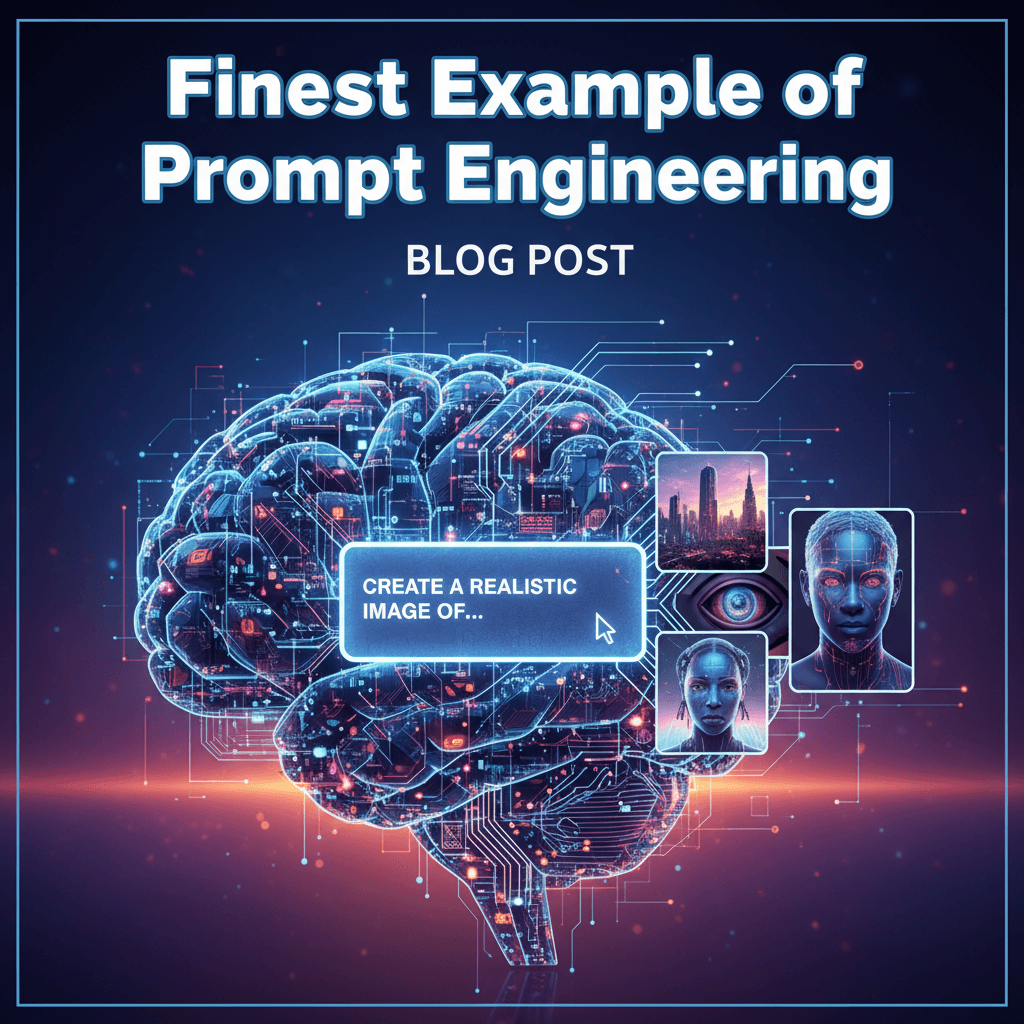
Discover actionable insights. This is a story about how a single shift in the way you ask transformed messy, meandering answers into precise, production-grade results—and how you can replicate it today. If you have ever stared at an AI response that looked confident but hollow, this is your roadmap to consistent, high-quality outcomes.
The night the prompt became a plan
At 11:47 p.m., hours before a crucial product review, Amara sat in front of a glowing screen. She had an AI assistant open, a draft policy in one window, and a ticking clock as her metronome. The task seemed simple: “Rewrite this policy for customer managers.” The first attempt returned a well-structured but generic rewrite. The tone was off, the details were fuzzy, and the parts that mattered were sanded down into soft, safe language. She tried again, adding a sentence or two of instruction. No luck. It was as if the system had swallowed her request and exhaled office air.
Then she changed her approach. Instead of treating the model as a vending machine, she framed it as a colleague with a role and clear success criteria. She wrote a setup: “You are a senior policy editor for an enterprise SaaS company. Your audience: frontline customer managers. Objective: clarify three decision points and remove legalese. Constraints: use only the provided policy; flag any missing information. Output: a two-page brief at Grade 9 reading level, with a one-paragraph executive summary and a numbered decision tree.” For good measure, she included a short example of the kind of clarity she wanted and asked for a brief self-check at the end against five criteria.
The change was immediate. The assistant highlighted ambiguous passages, asked if “customer managers” included contractors, rewrote the policy with crisp decision points, and flagged two potential conflicts with the onboarding flow. It suggested a short glossary. Amara iterated once more, slightly adjusting tone and complexity. By 1:02 a.m., she had a document she trusted, a review agenda, and an appendix of unresolved questions to align with legal in the morning.
That pivot—from a request to a structured collaboration—was the difference. And it’s the essence of the finest prompt engineering: orchestrate the conversation so the system can do its best work, under your guardrails, with your definition of “good.”
The mindset that makes prompts work
Prompt engineering is less about clever phrasing and more about designing a compact operating plan for the conversation. It is a mix of role definition, constraints, calibration, and verification. Think of it as UX for language: you architect a path that turns intent into impact.
Design for outcomes, not output
Most weak prompts fail at the first hurdle: they ask for text, not results. Strong prompts declare what success looks like. Who is the audience? What changes after they read it? What trade-offs matter (brevity vs. coverage, nuance vs. speed)? Which constraints are non-negotiable? When you express outcomes, the model can optimize to match.
Write to a collaborator, not a genie
A “genie prompt” demands an answer in one shot. A “collaborator prompt” sets a role, context, constraints, and a way to iterate. The latter invites questions, surfaces assumptions, and opens a verification loop. It’s the difference between one-off guesses and progressively better drafts.
Constrain the sandbox
Unbounded space invites creative nonsense. A tight sandbox—clear scope, allowed sources, explicit exclusions—channels creativity into relevant territory. Define the input boundaries, the style constraints, the citation rules, and the timing. Intelligent constraints liberate useful thinking.
Show before you tell
Examples reduce ambiguity. Provide a reference paragraph or labeled examples of “good” and “not good,” even short ones. Models learn patterns instantly from demonstrations; you save ten instructions with one concrete sample. Calibrate tone, structure, and level by example, then let the model generalize.
Build in checks and balances
Verification is not an afterthought; it’s part of the prompt. Ask for a confidence check, a list of assumptions, or an itemized “what I did not use and why.” Consider a brief evaluation rubric or a final self-review against your criteria. You are designing a loop that reduces regret.
A simple five-part scaffold
Think in five pieces: Role, Objective, Inputs and Boundaries, Process Hints, and Output Format with a Check. This scaffold is fast to apply and resilient across tasks—from product specs to lesson plans to troubleshooting guides.
- Role: Who is the assistant supposed to be?
- Objective: What business or user outcome is desired?
- Inputs and Boundaries: What data can it use? What must it avoid?
- Process Hints: How should it approach the work? Any steps or questions to ask first?
- Output + Check: What structure should the answer take? How will it verify quality?
Actionable takeaways
- Always define an audience and a success metric (e.g., “decision made within 2 minutes,” “Grade 8 reading level,” “covers 3 scenarios”).
- Embed constraints that matter: allowed sources, banned phrases, word budgets, tone requirements.
- Provide one short positive example and one short anti-example to anchor style.
- Include a verification step: ask for a summary of assumptions and a quick alignment check against your criteria.
- Invite questions before the first draft when stakes are high; it saves time later.
Key takeaways from real discussions
Teams across product, support, legal, compliance, data, and marketing have iterated on prompts in thousands of everyday exchanges. Patterns emerge quickly when you listen to what works—and what keeps failing. These are distilled lessons from those real-world conversations.
Clarity collapses hallucination
Ambiguity creates oxygen for fabrication. The most consistent fix reported by practitioners isn’t “fact-check harder” but “define the field better.” When teams specify what sources are in-bounds, force the model to cite them, and declare a plan for gaps (e.g., “If missing, ask; do not invent”), the stray inventions plummet. Clarity limits the model’s incentive to guess.
Constraints catalyze creativity
Designers and marketers noticed that tighter constraints led to fresher, more on-brief ideas. A constraint like “three taglines, each under six words, each mapping to a distinct audience segment, none using the words ‘innovative’ or ‘seamless’” outperformed open-ended ideation. Constrained space forces trade-offs that sharpen point of view.
Verification loops beat single-shot confidence
Customer support leads found that single-shot answers could be eloquent and wrong. Instituting a verification loop—asking the assistant to state why an answer should be trusted, what it assumed, and what would change the recommendation—yielded fewer escalations and easier audits. Self-checks also trained agents to review with purpose.
Context placement matters
Product managers learned to place critical facts close to the instruction that needs them. Long prologues are often underweighted, while inline context—“Given this acceptance criteria: [A, B, C], write test cases that…”—improved compliance. Chunking context, labeling sections, and using short, named lists increased uptake.
Small, iterative asks reduce rework
Engineering teams collaborating on documentation found better outcomes when they split work into staged requests: outline first, then deepen sections, then polish tone, then add examples. Each stage invited targeted feedback and reduced the cost of pivots. The AI became a rhythm partner, not a monologue generator.
Actionable takeaways
- State allowed sources and how to cite them; forbid invention when data is missing.
- Use explicit constraints that ladder to your goal (length, structure, vocabulary, audience).
- Add a verification layer: ask for assumptions, confidence bounds, and conditions that would flip the answer.
- Place context where it’s needed, not in an undifferentiated preamble; use headings and labels.
- Stage complex tasks; lock the outline before filling in details.
Prompt patterns that consistently deliver
Patterns are reusable blueprints. Use them as starting points, then adapt to your domain. Equally important: know the anti-patterns that sink quality.
Pattern: Brief-before-breadth
When ideating or drafting, start with a bullet brief that forces clarity on goal, audience, tone, and success. Ask the model to reflect it back and ask any clarifying questions. Only then proceed to content generation. This reduces direction drift and anchors both parties in the same intent.
- Use when: You are unclear on what “good” looks like or have multiple stakeholders.
- Why it works: It forces alignment and identifies hidden assumptions cost-effectively.
- Add-on: Ask for two alternate briefs with different strategic angles to expand options before drafting.
Pattern: Adversarial friend
Invite constructive pushback: ask the assistant to list the top three reasons your plan might fail or the main counterarguments. Then request a revised plan that addresses those points. This strengthens reasoning and builds resilience into outputs.
- Use when: You need to pressure-test a strategy, policy, or analysis.
- Why it works: It creates a safe internal debate that surfaces blind spots quickly.
- Add-on: Ask for a “most likely, most dangerous” risk matrix with mitigations.
Pattern: RAG handshake
When using retrieval-augmented generation (any time you supply documents or a knowledge base), explicitly frame how the assistant should use retrieved context. Tell it to prefer retrieved facts over general knowledge, cite snippets, and abstain if retrieval is insufficient. You are brokering a clear contract between memory and reasoning.
- Use when: You have domain documents, policies, or datasets that must be the source of truth.
- Why it works: It reduces off-policy answers and makes auditing straightforward.
- Add-on: Include a “coverage map” listing which sections of the sources were used.
Pattern: Socratic steps
For complex problems, ask the model to pose a small number of targeted questions before proposing an answer. Limit it to, say, three questions that would change the plan. Then proceed with a solution, explicitly stating how the answers informed the steps. This avoids premature convergence.
- Use when: The problem has missing information or multiple plausible paths.
- Why it works: It forces information triage and deeper situational awareness.
- Add-on: Ask for a short “what we still don’t know” list to guide follow-ups.
Pattern: Grade-and-revise
Ask the assistant to produce a draft and then evaluate it against a short rubric you provide (criteria like accuracy, clarity, completeness, tone), assign scores, and revise to address the lowest-scoring item first. This bootstraps quality improvement within the same session.
- Use when: You need iterative polish without manual line-editing.
- Why it works: It adds an internal QA loop with focused improvements.
- Add-on: Fix one criterion per revision to avoid diffused effort.
Anti-patterns to avoid
- Kitchen-sink prompts: Overlong context with buried instructions. Instead, label sections and front-load must-follow rules.
- Vague success criteria: “Make it better.” Better how? Define the dimension: shorter, simpler, more persuasive, more compliant.
- One-shot everything: Demanding final output in a single step yields plausible but misaligned results. Stage the work.
- Source-free claims: Asking for specifics without allowed sources invites confident guessing. Declare and require citations.
- Unbounded creativity: “Be creative” without constraints produces clichés. Add audience, tone, and taboo words to sharpen.
Actionable takeaways
- Pick a pattern intentionally based on task type; do not improvise the process every time.
- Limit initial instructions to what moves outcomes; remove anything that does not.
- Name the pattern in your prompt (e.g., “Use grade-and-revise with the following rubric”) to orient the assistant.
- Collect your own “golden prompts” by domain and keep them versioned; avoid starting from scratch.
From ad hoc prompts to a prompting system
The finest prompt is part of a system: a repeatable way to define tasks, measure quality, store learnings, and improve. Treat prompts like products: they need governance, versioning, and metrics. This shifts you from lucky wins to reliable throughput.
Versioning and documentation
Store prompts with metadata: intended use case, audience, input types, model versions, and known limitations. Keep a brief change log. When a prompt breaks or drifts, you have a paper trail to repair it. Documentation reduces tribal knowledge and speeds onboarding for teammates.
Rubrics and metrics
Define a small set of observable quality criteria tied to your domain. For support answers: factual accuracy, policy compliance, empathy, and actionability. For product docs: completeness, clarity, correctness, and developer readiness. Score samples regularly. Combine human review with simple heuristics like reading level and length adherence.
A/B testing and feedback loops
Run two versions of a prompt pattern in parallel and compare outcome metrics (e.g., resolution rate, time to decision, edit distance). Fold the winner into your standard and log the insight. Encourage users to tag conversations where the prompt failed and capture the reason. Small, steady iterations compound.
Context pipelines
Establish clean pipelines for supplying context: curated knowledge bases, up-to-date policy docs, and retrieval methods with traceable citations. Make “source freshness” part of your operational checklist. If the assistant works from stale or noisy inputs, no prompt can save it.
Safeguards and abstentions
Write explicit abstention policies into prompts: “If you cannot answer confidently using the provided sources, stop and list the missing data and next steps.” Normalize “I don’t know” as a success condition when it prevents false certainty. Build escalations to humans for sensitive calls.
Training the team
Teach your organization to think in prompts. Create a shared glossary (role, objective, constraints, process, output), a small set of patterns, and examples of good versus bad prompts for your most common tasks. Run short practice sessions where people refactor vague asks into structured collaborations and see the impact side by side.
Actionable takeaways
- Set up a lightweight prompt library with versioning, owners, and a change log.
- Define a domain-specific rubric and sample-review cadence; score, learn, iterate.
- Build a retrieval pipeline and require citations; flag stale sources for refresh.
- Encode abstention rules and escalation paths in high-stakes prompts.
- Run monthly prompt clinics; share before-and-after examples that show ROI.
A 7-step walk-through: from problem to polished output
Let’s map the process using a concrete, high-stakes scenario: creating a customer-impact analysis for a policy change rolling out next quarter. You need accuracy, clarity, and cross-functional buy-in.
1) Frame the brief
Define audience (VPs of Support and Product, frontline managers), objective (decide on rollout timing and comms plan), constraints (use policy draft + last quarter’s incident data), and success (a two-page brief with risk tiers and a go/no-go recommendation). Ask the assistant to reflect the brief and list three clarifying questions. Answer them before proceeding.
2) Set the sandbox and sources
Attach or summarize the policy draft, link to the incident data summary, and declare them as the only allowed sources. Instruct the assistant to cite the specific sections it used and to abstain if necessary facts are missing. Ask for a “coverage” note listing what it did not use and why.
3) Choose the pattern
Pick “adversarial friend” to pressure-test the plan. Ask for the top risks (impact and likelihood), who is affected, and the most fragile assumptions. Then request mitigations and a revised recommendation incorporating those insights. Name the pattern explicitly in your instructions.
4) Stage the work
First, request an outline with section headings: executive summary, affected cohorts, risk tiers, data points, mitigations, recommendation, open questions. Approve or adjust the outline, then ask for section-by-section drafting. This keeps edits surgical and prevents drift.
5) Add a rubric and grade-and-revise
Provide a four-criterion rubric: accuracy (no contradictions with sources), clarity (plain language), completeness (all affected cohorts and risks), and actionability (next steps with owners and timelines). Ask the assistant to score the draft against the rubric, identify the lowest score, and revise to raise that score.
6) Calibrate tone and level
Insert a short example paragraph demonstrating the tone: direct, non-alarmist, focused on decisions. Ask the assistant to match that voce and to maintain a Grade 10 reading level. Require a one-paragraph executive summary that a busy VP can skim in 45 seconds.
7) Close with verification and next steps
Ask the assistant to list assumptions that, if wrong, would change the recommendation; the top three questions for Legal or Data; and a short “what to monitor” list for the first two weeks post-launch. This gives you a built-in agenda for follow-ups and reduces surprises.
Actionable takeaways
- For any complex deliverable, lock the outline before prose; it halves rewrite time.
- Pair “adversarial friend” with “grade-and-revise” to combine depth with polish.
- Always end with assumptions, open questions, and monitoring plans to support execution.
- Keep an example paragraph handy to set tone quickly; examples beat adjectives.
Domain playbooks: adapt the patterns to your world
While the core patterns are universal, domains impose special constraints and styles. Tailor your scaffolds to match the work you do most.
Customer support and success
Prioritize accuracy, empathy, and compliance. Use RAG handshake with your knowledge base. Require citation of policy articles and an “abstain and escalate” path for ambiguous cases. Include a short empathy checklist: acknowledge, clarify, act. Ask for a confidence level and an alternative if a critical assumption fails.
- Actionable: Build a “support triad” prompt: diagnosis, policy-cited guidance, and customer-ready response with empathy markers.
Product and engineering documentation
Emphasize completeness, reproducibility, and developer readability. Use brief-before-breadth to align on audience (internal devs vs. partners), then stage examples and edge cases. Require code or config references to be marked and isolated from narrative. Add a “test this” section with steps and expected results.
- Actionable: Include a “red team” pass where the assistant tries to break the instructions and reports failure points.
Marketing and content
Focus on positioning, differentiation, and segment fit. Use constraints that ban clichés, limit adjectives, and enforce structure (headline, subhead, proof point, CTA). Include audience personas and product truths that must appear. Ask for three creative directions with distinct angles, then choose one to deepen.
- Actionable: Add a “message map” output—key claim, supporting proof, objection handling—for sales alignment.
Legal, risk, and compliance
Accuracy, provenance, and caution matter most. Require citations with section numbers, abstention when unsure, and flagged ambiguities as questions for counsel. Ask for a change log with each revision. Keep tone neutral and tightly scoped to provided materials.
- Actionable: Use a “coverage table” listing which clauses were interpreted, how, and any conflicts found.
Research and analysis
Bias reduction and transparency lead. Use socratic steps to gather missing context. Demand explicit assumptions and limitations. Separate facts from inference. When summarizing literature, require per-source summaries and a synthesis section that reconciles disagreements.
- Actionable: Close with “what would falsify this conclusion” to maintain intellectual honesty.
Sales and enablement
Tailor by segment and pain points. Provide discovery notes and ask for a tailored narrative: problem framing, stakes, solution mapping, proof, and next step. Ban generic superlatives. Request objection handling tied to the customer’s language.
- Actionable: Add a “mirror back” check: the assistant restates the customer’s problem in their words before proposing anything.
Actionable takeaways
- Codify domain-specific constraints (citations, empathy markers, tone) in reusable templates.
- Separate narrative from technical artifacts with labels to improve readability and reuse.
- Pair your top domain metric (e.g., resolution rate, conversion rate) with prompt changes to measure impact.
Common troubleshooting: when good prompts still stumble
Even strong prompts can wobble. Knowing where failures come from speeds recovery and learning.
Symptoms and fixes
- Drift over long sessions: The model forgets early constraints. Fix by restating key rules at the point of use and summarizing decisions after major steps.
- Overconfident synthesis: It sounds certain about thin evidence. Fix by requiring citations, adding an abstention rule, and asking for alternative hypotheses.
- Overly generic tone: Results feel bland. Fix by adding short, in-domain examples and banning vague adjectives; specify audience and taboo words.
- Missed edge cases: It covers the happy path only. Fix by asking for “three failure modes” or a short “red team” pass with mitigations.
- Excess verbosity: The assistant writes too much. Fix with hard budgets (word counts per section) and a summary-first structure.
Actionable takeaways
- Summarize constraints and decisions every 10–15 turns to anchor the conversation.
- Use abstention and alternative-hypothesis prompts to keep analysis honest.
- Lock style with a mini-style guide and one in-domain example per deliverable.
- Force edge-case coverage with explicit prompts; do not assume it appears.
Your one-week plan to mastery
You do not need months to get leverage. In five focused days, you can move from ad hoc prompting to systematic, reliable results. Bring your team; shared practice accelerates adoption.
Day 1: Inventory and intent
List your top five recurring tasks where AI can help. For each, define audience, desired outcome, and failure costs. Pick one as your pilot.
Day 2: Pattern and scaffold
Select a primary pattern (brief-before-breadth, adversarial friend, etc.) for the pilot. Draft a five-part scaffold: role, objective, inputs/boundaries, process hints, output+check. Add one example and one anti-example to calibrate tone.
Day 3: Stage and verify
Run the pilot task in stages (outline, draft, revise). Apply a simple rubric and the grade-and-revise loop. Capture edits you still had to make manually—these become new constraints or examples.
Day 4: Measure and compare
A/B test two variants of your scaffold. Measure edit distance, time to usable output, and aligned decision rate. Pick a winner and write down why it won.
Day 5: Systematize
Document the final prompt, rubric, examples, and failure modes. Store them in a shared library with versioning. Schedule a 30-minute review next week to iterate based on fresh runs.
Actionable takeaways
- Keep pilots small but real; pick tasks with immediate payoff.
- Measure something you care about (time saved, errors reduced), not just vibes.
- Treat the prompt as a living artifact; version it and expect to update it.
- Share wins and before/after samples to keep momentum.
Call to action: turn insight into practice right now
Pick one high-value task on your plate today. Write a five-part prompt scaffold: define the role, the objective, the inputs and boundaries, the process hints, and the output with a built-in check. Add a 75-word example of the tone you want. Run the task in two stages: outline, then draft. Use a three-criterion rubric to grade and revise. In one hour, you will feel the difference.
Discover actionable insights is more than a hook; it is a promise you can keep with the right structure. When you design prompts as collaboration plans—with constraints, examples, and verification—you stop hoping for good answers and start producing them on purpose. Start now. Teach your team. Build your library. The finest example of prompt engineering is the one you adapt, deploy, and improve this week.
Where This Insight Came From
This analysis was inspired by real discussions from working professionals who shared their experiences and strategies.
- Referenced Article: Explore the source material on the source
- Community Discussion: Join the conversation on Reddit
- Share Your Experience: Have similar insights? Tell us your story
At ModernWorkHacks, we turn real conversations into actionable insights.
![[Workflow Included] A simple 5-node Instagram posting workflow for beginners](https://modernworkhacks.com/wp-content/uploads/2026/04/workflow-included-a-simple-5-node-instagram-posting-workflow-for-beginners-1024x675.png)




0 Comments