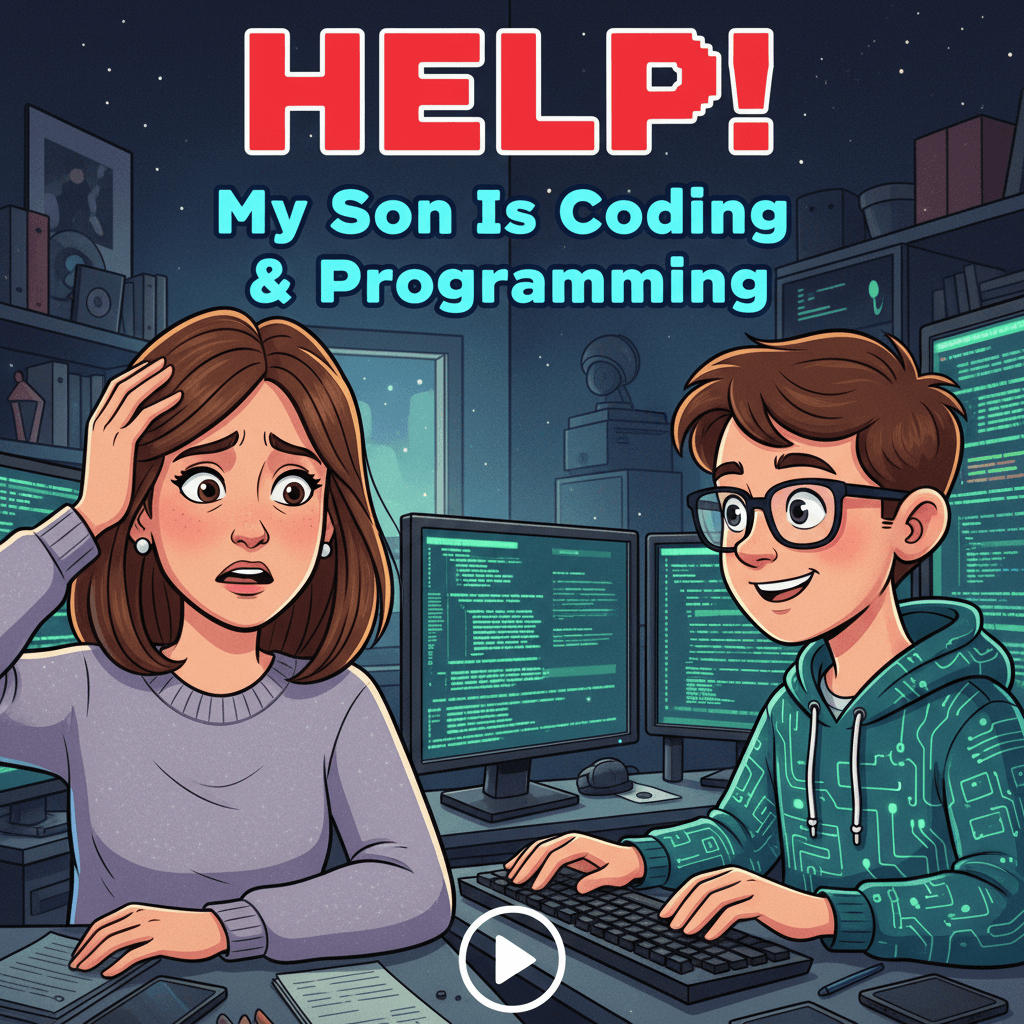
Hook: Discover actionable insights you can use today to support your child’s curiosity, set healthy boundaries, and open doors to a future where coding is a tool for creativity, confidence, and real-world problem solving.
A Saturday Morning Bug: The Moment It Clicked
It started with a tiny flicker—the kind you miss if you’re not looking for it. On a quiet Saturday morning, I found my son hunched over the family laptop, whispering to himself. Not the “I’ve-been-caught” whisper but the kind you hear when someone is talking back to a puzzle, trying to coax an answer out of it. “Why won’t you jump?” he muttered. The screen showed a pixelated character hesitating at the edge of a platform, jittering like it wanted to leap but didn’t know how. My son tapped the keyboard, then typed a few lines, paused, and hit run. The character jumped—too far—and plunged straight into a pit. A groan. A glance at a forum post. Another change. Run. This time, a perfect arc.
When he noticed me watching, he didn’t grin or ask for praise. He simply said, “I think I found the bug.” That phrase—matter-of-fact, determined, quietly proud—changed how I saw him. He wasn’t just playing a game; he was building and debugging a tiny world with rules he could understand and shape. Coding had become more than screen time. It was how he was learning to think, anticipate, and persist. My instinct to limit minutes and measure productivity started giving way to a different question: how do I guide this without squashing it? If you’re here, you’re likely asking the same thing.
What’s Really Happening When Your Child Starts Coding
Under the hood: it’s not just typing
Coding is often misunderstood as a technical hobby for prodigies or a ticket to a future job. But for most kids, it’s a set of habits and mental models that transfer far beyond the screen. They’re learning to break big problems into steps, to test tiny pieces, to fail quickly and try again, and to ask for help—not as a weakness but as a method. These are the roots of computational thinking, and they’re powerful regardless of whether your child ever writes software professionally.
Why kids get hooked (and how to help it stick)
In real conversations among parents, educators, and teens, three themes come up again and again: autonomy, feedback, and community. Autonomy is the thrill of making something personal—a game level, an animation, a small app that texts reminders. Instant feedback is the loop of “I made a change, I see the result,” which energizes hard work. And community—discord servers, classroom groups, club meetups—turns the solitary grind into collaborative discovery. If you respect all three, your child’s interest can evolve from novelty to long-term capability.
Signs of healthy engagement vs. red flags
- Healthy: Your child can explain what they’re building. They’re willing to show messy work. They step away after setbacks and return refreshed.
- Healthy: They use diverse sources—videos, docs, forums—and attribute help. They celebrate others’ successes.
- Red flag: Constant frustration without small wins; secrecy around online communities; sleep erosion; grades collapsing in unrelated subjects.
- Red flag: Overreliance on AI/code-copiers without understanding; copying entire projects and claiming them as their own.
Actionable takeaways
- Ask, “Show me what it does,” not “How many hours did you spend?” Praise outcomes, experiments, and resilience.
- Set a rhythm: short, frequent sessions (30–60 minutes) beat marathon weekends for building durable skills.
- Make context visible. Post a small whiteboard: “Current goal, next bug, what I’ll try next.” It reduces overwhelm.
- Keep a learning journal: one new idea, one roadblock, one question to ask a mentor or forum each session.
From Curiosity to Capability: Building a Learning Path That Sticks
Start where the joy is, layer the fundamentals
There is no single “right” first language. The right path is the one that keeps your child curious while gradually exposing them to transferable ideas: variables, conditionals, loops, functions, data structures. Block-based tools like Scratch teach logic quickly; Python lowers barriers for text-based coding; JavaScript brings instant browser results; Godot and Unity unlock game dreams. What matters most is the habit of finishing small projects and reflecting on what made them work.
Project-first beats syllabus-first
Kids learn fastest when they’re making something they care about. Instead of leading with abstract lessons, let the project pull in the concepts. “We want our character to double-jump? Great—let’s talk state machines.” “We want to save scores? Let’s discuss arrays and files.” This ensures every new idea answers a purpose.
Age-appropriate on-ramps (flexible, not fixed)
- 8–11: Scratch, MakeCode Arcade, LEGO robotics; focus on storytelling, cause-and-effect, sequences, and events.
- 12–14: Python (games with Pygame, microcontrollers with MicroPython), web basics (HTML/CSS/JS); introduce functions and data.
- 15–17: Full-stack web apps, data projects (pandas, visualization), game engines (Godot/Unity), mobile apps; explore version control and testing.
Actionable takeaways
- Co-create a 90-day roadmap with three mini-projects. Each should fit on one page: goal, features, concepts to learn, a definition of “done,” and a show-and-tell date.
- Adopt the “10–20–70” model: 10% tutorials, 20% guided practice, 70% building and debugging their own project.
- Institute “demo days” every two weeks. No polish required—just a 3-minute walkthrough: problem, approach, biggest gotcha.
- Teach version control early. Even a one-person Git habit prevents lost work and teaches professional discipline.
The Social Side of Code: Communities, Collaboration, and Online Safety
Picking the right communities
In real parent forums and school clubs, two patterns emerge. Positive communities share code openly, credit contributors, enforce clear rules, and celebrate learning moments. Negative spaces gatekeep, mock beginners, or push “hustle” over health. Your child’s cohort matters as much as content. Look for clubs at school libraries, maker spaces, local hackathons, and moderated online groups where code of conduct is explicit.
Mentors and near-peers multiply confidence
A mentor doesn’t need to be a seasoned engineer. Often the best guides are one or two steps ahead—an older student or a recent boot camp grad—who remembers what feels confusing. Regular check-ins add encouragement, sanity checks, and shortcuts around common pitfalls.
Safeguarding and digital citizenship
As kids explore, they step into spaces with strangers, public repositories, and intellectual property boundaries. Teach them to protect identity, critique advice sources, and respect licenses. Normalize asking, “Is it okay to use this? How do I attribute it?” Also discuss the gray areas of AI-assisted coding—what’s allowed in class, in competitions, and in future job interviews.
Actionable takeaways
- Co-write a short “community checklist.” Before joining any Discord, forum, or repo, your child verifies: rules posted, moderation visible, harassment policy clear, content age-appropriate.
- Create a simple privacy rubric: no full name, school, location, or faces in profiles or screenshots; use a parent-reviewed handle for public spaces.
- Encourage pair programming once a week. Switching driver/navigator roles builds communication and empathy.
- Practice “ethical forks.” If your child adapts code, they learn to read licenses and write credits plainly in the README.
Healthy Balance: Screens, Sleep, and School
Routines protect passion
Real-life discussions often circle back to boundaries: homework undone, late nights, and eye strain. The solution isn’t to ban what they love but to structure it. Predictable routines reduce conflict and make coding feel like a privilege earned, not a fight picked. That balance keeps the joy alive.
Design a family “dev agreement”
Treat coding like a sport or instrument. There’s practice time, coaching, rest, and game day. A simple agreement clarifies expectations so you don’t renegotiate daily. Let your child help write it; buy-in beats enforcement.
- Practice window: e.g., 4–6 p.m. on weekdays after homework; Saturday 10 a.m.–noon for deep focus.
- Screen hygiene: blue light filters after sunset; 5-minute stretch breaks every 30–45 minutes.
- School first: if grades slip in non-tech subjects, scale back and pair coding time with coursework catch-up.
- Sleep guardrails: devices out of bedrooms; a last-coding-call reminder 45 minutes before bedtime.
Ergonomics and mental health
Long sessions can cause wrist pain, tension headaches, and eye strain. More subtly, debugging spirals can self-criticize. Counter both with small interventions: an external keyboard at a neutral wrist angle, screen at eye height, 20-20-20 eye rule, and micro-celebrations for small wins. Reframe setbacks: “What did the error teach us?” not “Why are you stuck again?”
Actionable takeaways
- Install a break timer (or use a kitchen timer) for 45/5 cycles; during break, hydrate, stretch, look 20 feet away for 20 seconds.
- Use “green-yellow-red” self-checks at the end of sessions. Green: energized, Yellow: tired but good, Red: frustrated—plan a reset for tomorrow.
- Model balance. Share your own boundaries with devices and work. Kids notice what we do more than what we say.
- Create a “win wall.” Post screenshots of progress, not perfection, to reinforce growth.
Careers Without Crystal Balls: Turning Interests Into Impact
Map skills to domains, not job titles
Parents in community chats often ask, “Should he learn cybersecurity? Data science? AI?” The honest answer: any of these could be fulfilling—and all of them sit on shared foundations. Rather than chasing trends, help your child explore domains through small, time-boxed projects. If a domain keeps pulling them back, go deeper. Impact grows where curiosity persists.
Sample “taste tests” (4–6 weeks each)
- Games: Build a platformer in Godot or a Unity microgame. Learn physics, events, and iteration on fun.
- Apps: Make a simple to-do or habit tracker with React + Firebase or Swift/Kotlin basics. Touch UI/UX thinking.
- Data: Scrape public data and visualize insights. Learn CSVs, APIs, charts, and responsible data stories.
- Robotics/IOT: Program a microcontroller to control LEDs, sensors, or a small robot. Meet real-world constraints.
- Web: Ship a personal site; learn layout, accessibility, and performance basics.
- Cybersecurity: Try safe, educational labs. Learn about authentication, hashing, and defense mindsets.
Portfolios over resumes, stories over bullet points
A tangible portfolio beats generic lines like “I’m passionate about tech.” Encourage your child to host their projects, document what they tried, show setbacks, and explain decisions. Storytelling demonstrates maturity: “I built X because Y. I struggled with Z, so I tried A and B. Here’s what I’d improve next.” That’s the voice of a thoughtful maker.
Ethics and the long view
Every line of code shapes someone’s day. Discuss accessibility, algorithmic bias, data privacy, and the environmental costs of compute. Not as lectures, but as real design questions. Ask, “Who might be excluded by this feature?” “What data do we truly need?” “How could this be misused?” A strong ethical lens differentiates tomorrow’s leaders.
Actionable takeaways
- Start a “one-pager portfolio” now: links, screenshots, 3-sentence summaries, and reflections for each project. Publish when ready.
- Practice micro-internships: help a local club, small business, or nonprofit with a tiny tech need. Scope ruthlessly; ship something real.
- Use informational interviews. Encourage your child to ask three adults in tech: “What surprised you most about your job? What do you wish you’d learned sooner?”
- Include an ethics note in each project: audience, risks, mitigations, and what trade-offs were made.
What Parents Say in Real Discussions—and What Actually Helps
“He only wants to code games. Isn’t that a dead end?”
Games are a gateway to physics, math, storytelling, UI, and performance optimization. They demand discipline. The key is scope. Move from copycat tutorials to original tweaks, then to small finished game loops. Let him publish something tiny. Shipping is the skill.
Actionable response
- Define “MVP fun”: one mechanic, one level, a start and end. Everything else is optional frosting.
- Set a two-week challenge: rebuild an existing simple game, then add one unique twist.
“She’s using AI tools to write code. Is that cheating?”
AI can be a helpful collaborator if used transparently and critically. The danger is bypassing understanding. Treat AI like a senior engineer who sometimes hallucinated last night: helpful, but you must verify. Many classrooms and competitions now set specific policies—follow them strictly.
Actionable response
- Require a “how it works” review: after using AI, your child explains each line back to you or a peer.
- Adopt a rule: AI for scaffolding and ideas, not for entire projects. Always credit use in a README.
“He spends hours ‘stuck.’ Should I jump in?”
Rescue too early and you rob the lesson; rescue too late and you risk burnout. The middle ground is process coaching: teach debugging methods instead of answers. Build the habit of minimal reproducible examples and rubber-ducking.
Actionable response
- Ask process questions: “What changed since it last worked? What’s the smallest example that fails?”
- Encourage logging and asserts. Let the program tell you what it thinks is happening.
“She’s lost in tutorials.”
Tutorial purgatory feels productive without producing agency. The antidote is tiny original goals with deadlines and public demos. Accountability and ownership build momentum.
Actionable response
- Switch to the 10–20–70 model. For each tutorial hour, require two hours of guided practice and seven of building something personal.
- Schedule a family demo night every two weeks. Celebrate learning, not polish.
“He won’t talk about what he’s building.”
Silence can mean shyness, fear of judgment, or simply deep focus. Build trust by asking curiosity-based questions and offering a non-technical audience. Normalize unfinished work.
Actionable response
- Use non-judgment prompts: “Show me one thing that surprised you today.” “What’s the weirdest bug you saw?”
- Offer to be the “client.” Give a playful problem and ask for a tiny prototype by the weekend.
“Grades are slipping.”
Coding isn’t a license to skip fundamentals elsewhere. Treat it as leverage: tie projects to school topics when possible and use coding time as a reward for meeting responsibilities.
Actionable response
- Link to class content: graphs in math become data visualizations; essays in English become blog posts on the project journey.
- Rebalance the week. Reduce coding to weekends temporarily; add a midweek checkpoint for school tasks.
“I’m not technical. How can I help?”
You don’t need to know how to code to coach attitude, structure, and reflection. Your role is questions, boundaries, and cheerleading. Think of yourself as the steady metronome and the honest audience.
Actionable response
- Hold a weekly retrospective: what went well, what was hard, what we’ll try next. Capture one action item.
- Help make their work visible: a corkboard of sketches, a simple website, or a shared folder of demos.
Practical Tools and Habits That Accelerate Learning
Make friction small and wins big
Nothing kills momentum like fighting with installations or losing files. A stable toolchain and a few reliable habits turn obstacles into detours, not dead ends.
- One-step start: Use project templates or repos with a single run command. Avoid multi-hour setup for beginner projects.
- Version control first: Commit daily with meaningful messages. Learn to branch and merge on small experiments.
- Readable code: Descriptive names, short functions, comments for intent—not step-by-step commentary.
- Test early: Even a few asserts save hours later. Kids can learn test-driven thinking with bite-sized examples.
Documentation as a superpower
Documentation isn’t busywork; it’s proof of understanding and a map for future you. Encourage your child to write “how I built this” notes, not just “what this is.” When they return in two weeks, they’ll thank themselves.
Actionable takeaways
- Create a README template with sections: Purpose, How to Run, Key Concepts, Known Issues, Next Steps.
- Adopt a “one bug diary.” When a bug takes more than 20 minutes, write the cause and fix. These entries become a personal FAQ.
- Schedule “refactor Fridays.” Spend 30 minutes cleaning names, extracting functions, and deleting dead code. Clarity compounds.
Guiding Without Grabbing the Wheel: Coaching Questions That Work
Shift from directive to reflective
Instead of solving problems for your child, equip them to solve their own. Well-crafted questions prompt analysis, comparison, and decision-making—skills they’ll carry everywhere.
- “If this worked yesterday, what changed today? Code, data, environment?”
- “What would a smaller version of this look like?”
- “How will we know this is done? What’s the acceptance test?”
- “What’s the riskiest part? How can we prototype just that?”
- “Where could this break for someone unlike you?”
Actionable takeaways
- Introduce a daily stand-up: yesterday’s progress, today’s plan, blockers. Keep it under five minutes.
- Use timeboxing. If stuck for 30 minutes, try a new tactic: read docs, ask a forum, take a walk, or switch tasks.
- Pair reflections with rewards: after a demo, choose a celebratory activity unrelated to screens.
Your 30-Day Family Action Plan
Week 1: Set the stage
- Write the family dev agreement: time windows, health rules, school-first policy, and community checklist.
- Pick a project that can ship in two weeks. Define the MVP and what “done” means.
- Assemble tools: editor, version control, project template, a README template, and a break timer.
- Hold the first demo date on the calendar now.
Week 2: Build and debug
- Follow the 10–20–70 ratio. Track it openly on a whiteboard.
- Do one pair-programming session with a friend or sibling.
- Practice safe community engagement: review the profile and rules together before joining any group.
Week 3: Demo and reflect
- Host the demo day. Ask three questions: What’s the coolest part? What was hardest? What would you change next?
- Publish the project to a shared folder or a simple website. Add the portfolio one-pager entry.
- Start the bug diary habit if it’s not already running.
Week 4: Explore and extend
- Choose a new domain “taste test” for four weeks: data, apps, games, web, robotics, or cybersecurity.
- Invite a near-peer mentor for a 20-minute call or visit.
- Co-write an ethics note for the next project: audience, risks, and mitigations.
What Success Looks Like (And How You’ll Know You’re on Track)
Behavioral signals
- Your child starts planning sessions and setting micro-goals without prompting.
- Frustration turns into experiments: changing one variable at a time, isolating functions, writing logs.
- They can explain trade-offs: “This way is faster to build, but harder to maintain.”
- The portfolio grows with small, finished artifacts—each with notes, not just code.
Academic and life spillover
- Math becomes more concrete via graphs, simulations, and optimization tasks.
- Writing improves through documentation and devlogs.
- Time management gets structure: schoolwork, breaks, and hobbies coexist more smoothly.
Family climate
- Fewer battles over screens; more conversations about ideas and trade-offs.
- Shared rituals—demo nights, retrospective chats—create connection beyond tech.
Common Pitfalls—and How to Dodge Them
The temptation to over-engineer
Beginners love big dreams: an MMO with real-time chat, a marketplace, AI enemies, and cross-platform play. Ambition is great. Scope creep is not. Teach them to ship tiny and iterate ruthlessly.
Solution
- Use feature budgets. If they add one feature, cancel or postpone another.
- Adopt “vertical slices”: build a complete, thin end-to-end path before adding depth.
Tutorial hoarding
Downloading resources becomes a hobby in itself. Counter by anchoring every tutorial to a project application due within days, not weeks.
Solution
- Limit to two active tutorials at a time, each tied to a specific deliverable.
- After finishing a tutorial, remove it from bookmarks unless referenced in a current project.
Silence around safety
Assume that your child will experiment online. Instead of hoping they won’t, equip them with rules and rehearsals.
Solution
- Role-play: someone asks for personal info or sends a sketchy link—what do you do?
- Revisit the community checklist quarterly and prune memberships as needed.
All-tech identity
When everything becomes about code, failure can feel like personal collapse. Protect against this by encouraging breadth: sports, music, art, service.
Solution
- Anchor coding to a wider identity story: “I build, I care, I explore,” not just “I code.”
- Schedule tech-free adventures every week. Brains need novelty outside screens.
A Parent’s Playbook: Quick Reference
- Lead with curiosity: “Show me,” “Teach me,” and “What’s next?” are magic words.
- Protect the basics: rest, nutrition, movement, schoolwork, and social life.
- Make it visible: goals on a board, demos on a calendar, portfolio in progress.
- Coach process: minimal examples, timeboxing, version control, and postmortems.
- Champion ethics: privacy, attribution, accessibility, and the human on the other side of the screen.
- Celebrate small wins. Shipping tiny beats dreaming giant and never launching.
Call to Action: Start the Conversation Tonight
Tonight, take 15 minutes with your child and ask three questions:
- What’s the smallest thing you want to build this month that would make you proud?
- What feels hardest right now—and what’s one small experiment we can try tomorrow?
- Who could we learn with—a friend, a mentor, or a community that fits our values?
Then write a one-page family dev agreement. Choose one mini-project for the next two weeks. Put a demo date on the calendar. Agree on break timers and bedtime. Set up a portfolio page with a single sentence on it—“Coming soon”—and let it be the promise that keeps everyone moving forward.
Your son isn’t just coding. He’s learning to build, to think, to collaborate, and to care about the people who will use what he creates. With structure and support, his curiosity can mature into capability—and his capability into impact. Help him start small, ship often, and reflect deeply. The rest will come, one arc at a time, perfectly timed after a dozen imperfect jumps.
Where This Insight Came From
This analysis was inspired by real discussions from working professionals who shared their experiences and strategies.
- Source Discussion: Join the original conversation on Reddit
- Share Your Experience: Have similar insights? Tell us your story
At ModernWorkHacks, we turn real conversations into actionable insights.
![[Workflow Included] A simple 5-node Instagram posting workflow for beginners](https://modernworkhacks.com/wp-content/uploads/2026/04/workflow-included-a-simple-5-node-instagram-posting-workflow-for-beginners-1024x675.png)




0 Comments