
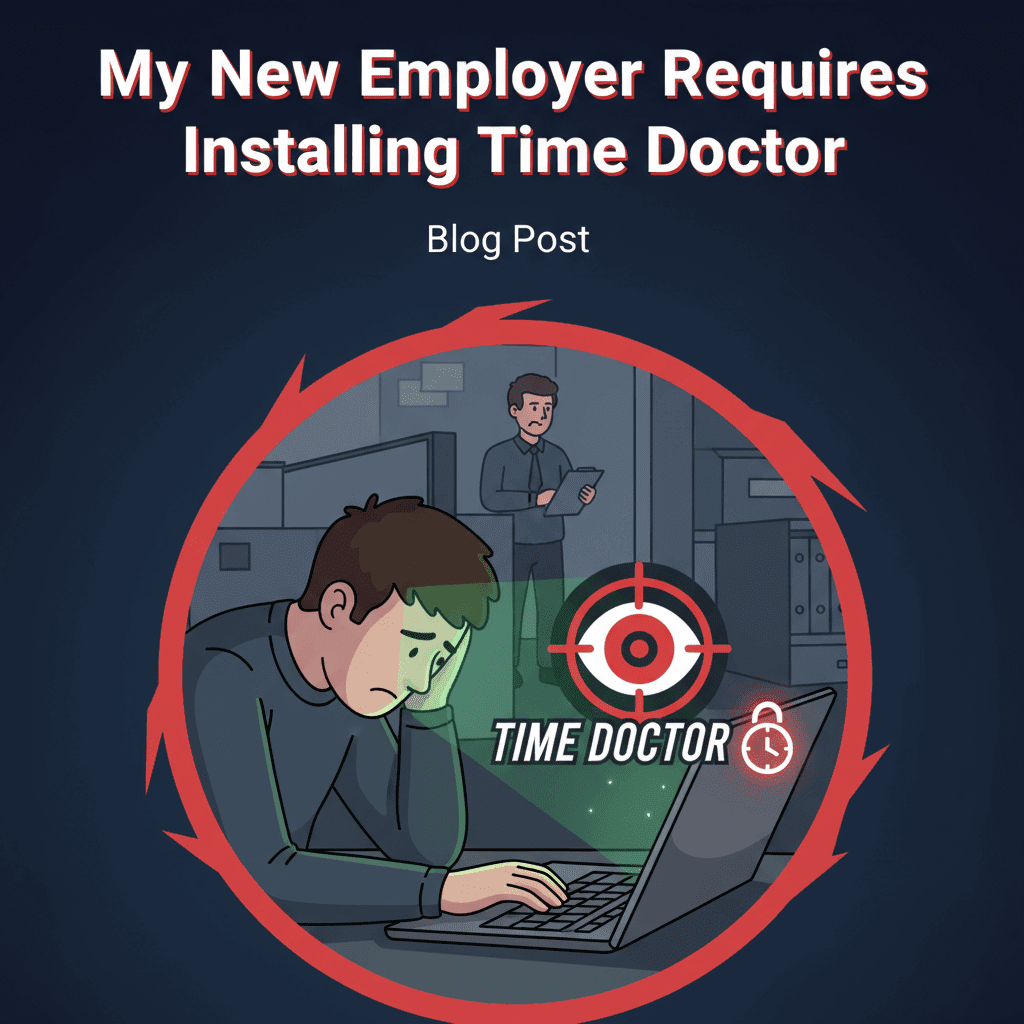
The First Day It Popped Up: A Story About Control, Clarity, and Choice
On my third morning with the new team, I opened my laptop to a welcome packet that looked like every other: HR forms, Slack invites, and a shared drive full of onboarding docs. Then came the final line in the checklist: “Please install Time Doctor before end of day.” My cursor hovered. I didn’t click. I was excited to contribute, but the request felt a little like being asked to surrender my keys while proving I wasn’t going to speed. In that moment, I realized this wasn’t just about software; it was about trust, clarity, and how we’d work together.
I messaged a colleague I’d met the day before. “Do we all use this?” The answer arrived quickly: “Yeah, though teams configure it differently.” Then another message: “If you’re worried, talk to your manager. Most settings are negotiable.” That line changed everything. It meant this wasn’t a surveillance ultimatum; it was a policy with dials and switches—some we could set together.
Over the next week, I listened to real conversations—quick syncs, community threads, and team retrospectives. The theme was clear: the tool itself isn’t destiny. The problem (or the win) comes from how it’s used. People had made it work—sometimes even loved it—when it solved specific business needs transparently. Others felt frustrated when it blurred boundaries, punished deep work, or created a sense that everyone had to “look busy” at all times. That split is where the most important insights live.
If you’ve just been asked to install Time Doctor, this article offers a grounded, actionable path. Discover insights you can use today—from real team experiences—to protect your privacy, keep your productivity intact, and shape a fair, effective setup that actually helps the work.
What Time Doctor Does—and Why Managers Insist
What the tool can track (and what’s usually optional)
Time Doctor is a time-tracking and productivity analytics platform. Implementations vary widely, but organizations typically use a mix of:
- Manual or automatic time tracking by task or project
- Application and website usage analytics (e.g., which tools you used during tracked time)
- Configurable screenshots at intervals, sometimes with blur options
- Idle-time detection to pause tracking when there’s no keyboard/mouse activity
- Timesheets and reports for payroll, billing, or client transparency
- Focus or productivity dashboards that show “active time” and context
In many companies, screenshots and detailed app/URL tracking are optional or limited to specific roles. The platform’s flexibility is the key—settings can be tuned to align with local laws, company policy, and team norms.
Why leaders push for it
- Billing accuracy and client trust: For agencies, consultancies, and service teams, transparent time logs can reduce invoice disputes and speed approvals.
- Compliance and consistency: Especially in distributed or hybrid teams, leaders want a standardized way to manage attendance, payroll, or project costing.
- Visibility into workflow friction: Aggregate data can surface inefficiencies—like too many context switches or tools that slow teams down.
- Outcomes alignment: Some managers use time analytics to correlate time investment with deliverables, rebalancing workloads where needed.
None of that makes intrusive settings right. But it explains the intent: reduce uncertainty, increase accountability, and create reliable signals in a remote-first world. The implementation is where trust is either earned—or lost.
What Real Teams Say: Key Takeaways from Candid Discussions
Across real-world conversations—internal Slack channels, community forums, and project postmortems—patterns keep repeating. Here are the distilled takeaways you can bring to your next conversation.
1) Success comes from specificity, not surveillance
- Teams that define a clear business reason—like billable hours or compliance—report fewer morale issues and better adoption.
- Vague goals (“just to monitor productivity”) lead to fear, second-guessing, and gaming the system.
2) Transparency beats surprise
- Clear communication about exactly what’s collected, who can see it, and how long it’s retained reduces anxiety and mistakes.
- Surprise screenshots or unclear policies erode trust quickly and are hard to repair.
3) Deep work suffers when “activity” equals “value”
- Knowledge workers warn that equating value with keyboard or mouse activity undervalues research, thinking, and collaboration.
- The healthiest setups pair time analytics with outcome metrics (shipped features, closed cases, published content) rather than rewarding motion alone.
4) Most friction is solvable via settings
- Reasonable defaults—like no screenshots for salaried knowledge roles or blurred screenshots for external billing—dramatically reduce pushback.
- Short retention windows, role-based visibility, and Paused modes (for breaks and personal errands) make the system humane and compliant.
5) The biggest risk is trust debt
- If the rollout feels like micromanagement, employees disengage or mask behavior, creating noisy data and worse outcomes.
- When it’s framed as a shared tool to improve fairness and remove guesswork, data quality improves and the tool becomes routine.
6) Legal and regional norms matter
- In many jurisdictions, informed consent, data minimization, and employee access to their own data are required.
- Best practice: publish a simple, readable Monitoring and Time Tracking Addendum that sets boundaries and expectations in plain language.
Actionable Playbooks: How to Respond, Configure, and Thrive
Before you install: 9 questions to ask (and why they matter)
- Purpose: What business outcomes is Time Doctor solving for—billing accuracy, compliance, workload visibility, or something else?
- Scope: Which features are enabled for my role? Screenshots? App/URL tracking? Idle detection?
- Visibility: Who can see my data—just my manager, HR, clients, or the whole team?
- Retention: How long is data stored? What’s the deletion policy when I leave the company?
- Consent: Will I receive a written policy and chance to ask questions before enablement?
- Flexibility: Can I pause tracking for breaks or personal tasks? Are there role-based exceptions?
- Outcome alignment: How will outcomes be measured alongside time to avoid incentivizing busywork?
- Support: If I see inaccurate logs or need edits, what’s the process to fix them without penalty?
- Review cadence: When will we revisit the configuration to adjust settings after a pilot period?
Use these questions verbatim. They turn the conversation from “install this now” into a collaborative design of how you’ll work.
If you must install today: a humane default configuration to request
- Time tracking: Manual start/stop or project-based tracking, not always-on.
- App/URL analytics: Aggregate only (categories and totals), no detailed content logs.
- Screenshots: Off for salaried knowledge roles; On with blur for client-billed hours if required.
- Idle detection: Enable with a generous threshold and clear prompts, so reflective time isn’t punished.
- Privacy controls: Allow pause for personal tasks; show a clear indicator when tracking is active.
- Access: Role-based; employees can see and correct their own data; managers see team summaries.
- Retention: Minimal practical window (e.g., 90 days) unless regulated requirements apply.
- Documentation: Provide a one-page policy with examples of acceptable use and prohibited monitoring.
How to talk to your manager: a short script that works
“I’m ready to install Time Doctor today. To keep focus and privacy intact, can we confirm the settings for my role? I propose: manual tracking, no screenshots, aggregate app/URL data, and a 90-day retention. I’ll pair time logs with outcome updates in our weekly standup. After a 4-week pilot, let’s review what’s working and tune as needed.”
This script signals compliance, maturity, and an outcomes mindset—all while setting fair boundaries.
Protecting deep work: pair time tracking with outcome rituals
- Daily anchors: Log two to three priorities at the start of day; track time against them deliberately.
- Outcome notes: Add one or two bullet summaries to your time entries; it turns raw hours into context.
- Weekly review: Share a short highlight reel: what shipped, blockers removed, quality metrics improved.
- Meeting hygiene: Batch meetings and comms to reduce context switching that inflates tracked time without improving results.
When managers see outcomes tied cleanly to time, pressure to crank up intrusive features drops dramatically.
Editing errors without drama
- Maintain a same-day habit of reviewing entries for accuracy; memory fades fast.
- If you forget to stop tracking, annotate why and trim generously. Credibility compounds.
- Create a shared tag set (e.g., Research, Writing, Code Review, Customer Calls) to standardize interpretation.
Personal boundaries that keep burnout at bay
- Define off-hours: Make sure your working hours are clear in the tool and in your calendar.
- Use pause intentionally: Step away for errands or mental resets without leaving ghost activity.
- Protect creative time: Block calendar segments for heads-down work; let the team know it’s focus time.
Negotiation angles if you’re uncomfortable
- Pilot first: Propose a 30-day trial with minimal settings and agreed review metrics.
- Role-based nuance: Suggest different configurations for engineering, design, support, and sales based on workflow.
- Client-only enforcement: If tracking exists for billing, limit invasive features to client-funded tasks.
- Outcome trade: Offer stronger outcome reporting in exchange for fewer intrusive signals.
Implementation Blueprint for Leaders and HR
Start with principles, not features
- Clarity: Every data point should serve a named decision—billing, capacity planning, compliance—not curiosity.
- Proportionality: Collect the least data needed for the job. If aggregate works, skip screenshots.
- Reciprocity: Employees see what managers see about them; they can correct errors without friction.
- Trust first: Use data to remove friction and reward outcomes, not to hunt for exceptions.
Define success metrics before rollout
- Billing: Fewer invoice disputes, faster approvals, stable margins.
- Capacity: Better workload balancing, fewer fire drills, realistic sprint planning.
- Wellbeing: Lower after-hours creep, sustainable focus time, decreased attrition risk.
- Quality: Improved cycle time without rising defects, higher customer satisfaction.
If your metrics don’t move, revisit the configuration—not the pressure.
Configuration patterns by role
- Engineering and Product: Manual tracking by epic or ticket; no screenshots; app/URL categories only; emphasize shipped increments and incident response.
- Design and Content: Manual tracking by project phase; blur screenshots only if client-mandated; protect research and ideation time in calendars.
- Customer Support and Success: Optional automatic tracking during shift windows; limited app analytics; outcome metrics (CSAT, resolution time) front and center.
- Sales and Marketing: Project-based tracking for campaigns; no screenshots; pair with pipeline health and campaign ROI.
Policy essentials in one page
- What we collect: Time by project, app categories, optional screenshots (if applicable).
- Why we collect: Billing accuracy, capacity planning, compliance.
- Who sees it: Employee, direct manager, HR (if needed), and clients (only relevant portions).
- How long we keep it: Defined retention windows with deletion schedules.
- Your rights: Access, correction, pause for breaks, appeal process for disputes.
- Prohibitions: No covert monitoring, no webcam or audio recording, no keystroke content capture.
Plain language beats legalese for adoption and accountability.
Rollout as change management, not just IT
- Announce early: Share the why, the what, and the how in advance. Invite questions openly.
- Train by role: Short, targeted walkthroughs. Emphasize configuration differences that respect each team’s craft.
- Pilot with champions: Start with a few teams; tune settings based on feedback.
- Model behavior: Leaders should use the tool and share their own outcomes and learnings.
- Review publicly: After the first month, share what changed and what you’re adjusting.
What not to do (common pitfalls)
- Don’t over-index on activity: Busy dashboards can hide poor outcomes. Tie everything back to impact.
- Don’t surprise people: Covert or ambiguous monitoring breaks trust—and often compliance.
- Don’t ignore edits: A cumbersome editing process teaches teams to accept inaccuracies. That poisons the dataset.
- Don’t make exceptions opaque: If a group gets different rules, explain why. Fairness is transparency plus context.
Practical Templates and Tactics You Can Use Today
An email you can send to your manager
Subject: Time Doctor setup — aligning on settings for my role
Hi [Manager Name],
I’m ready to install Time Doctor and want to align on a configuration that supports our goals while protecting focus and privacy. Here’s a proposed setup for my role:
- Manual time tracking by project/task
- No screenshots; aggregate app/URL categories only
- Idle detection with prompts; clear pause option for breaks
- Employee access to review and correct entries
- 90-day data retention unless compliance requires longer
- Weekly outcome updates paired with time summaries
Could we try this for a 4-week pilot and review together using metrics like delivery pace, fewer rework cycles, and billing clarity? If client needs require changes, I’m happy to adapt with clear boundaries.
Thanks,
[Your Name]
A 30-minute calendar agenda for alignment
- Minute 0–5: Confirm business goals (billing, capacity, compliance, outcomes)
- Minute 5–15: Walk through proposed settings and exceptions for your role
- Minute 15–25: Agree on success metrics and edit/appeal process
- Minute 25–30: Set pilot end date and schedule the review
Self-management checklist for the first month
- Review entries daily; add one-line outcome notes to major blocks
- Batch communications to protect deep work blocks
- Use consistent tags across tasks for better reporting
- Flag mismatches between time and outcomes in your weekly update
- Capture friction points: where tracking adds overhead or misrepresents value
Manager’s quick-start: one-week rollout plan
- Day 1: Share purpose, policy, and role configurations in writing
- Day 2: Host two short Q&A sessions (APAC/EMEA, AMER)
- Day 3: Provide a 10-minute tutorial video and a one-page guide
- Day 4: Enable opt-in for early adopters; refactor settings based on initial feedback
- Day 5: Enable for remaining teams with announced pilot window and review date
Signals that your setup is working
- Teams stop talking about the tool and start talking about outcomes
- Disputes and uncertainty around billing or workload drop
- Edits become rare and justified, not constant firefighting
- Leaders adjust process or tooling based on aggregate insights (not individual nitpicks)
Troubleshooting: When the Settings Don’t Fit the Work
If screenshots are required and you handle sensitive data
- Request blurred screenshots by default; unblur only on documented audit request
- Exclude apps or windows containing confidential or personal information
- Shorten retention and limit visibility to the smallest necessary group
If your work includes offline thinking, research, or whiteboarding
- Agree on “Reflective Time” tags that acknowledge value without constant device activity
- Summarize insights and decisions in your outcome notes or meeting docs
- Set idle thresholds that don’t penalize deep design or reading sessions
If you feel micromanaged by the dashboards
- Re-center the conversation on outcomes and the defined success metrics
- Share examples where activity didn’t equal impact and propose adjustments
- Ask for a manager-level commitment to avoid ranking individuals by “activity %”
If trust is already strained
- Propose a short reset: minimal settings, weekly outcome demos, and a 2-week review
- Enlist a neutral party (HR or a lead from another team) to mediate configuration
- Document agreements in a living page everyone can reference
From Tool to Team Habit: Building a Healthy Rhythm
Make time data serve the work, not the other way around
- Use aggregate patterns to inform scheduling (protect focus time, batch interrupts)
- Identify processes that sap time with little gain (status meetings, duplicative reviews)
- Adjust staffing and capacity planning based on trend data, not one-off spikes
Pair numbers with narratives
- Every key metric should have context: what changed, why it mattered, what we’ll do next
- Celebrate outcomes publicly; treat time logs as inputs, not scorecards
Keep policies fresh
- Review configurations quarterly or after major workflow changes
- Audit who has access; keep permissions on a need-to-know basis
- Reaffirm the prohibition of covert monitoring or keystroke content collection
Key Takeaways You Can Apply Immediately
- Ask for clarity: Confirm purpose, scope, visibility, and retention before you install.
- Negotiate by role: Not all work is the same; tailor features to protect deep work.
- Lead with outcomes: Pair time entries with result summaries; it changes the whole conversation.
- Pilot, then decide: Use 30-day pilots and agreed metrics to tune settings fairly.
- Protect privacy: Prefer aggregate analytics, blurred screenshots when necessary, and short retention.
- Keep it humane: Clear pause modes, transparent policies, and easy edits build trust and better data.
Your Next Step: Turn a Mandate Into a Conversation
If your new employer requires installing Time Doctor, you don’t have to choose between compliance and your craft. You can shape a setup that respects both the business need and the way you work best. Start now:
- Schedule a 30-minute alignment with your manager using the agenda above
- Bring the nine questions and the humane default configuration to the meeting
- Propose a 4-week pilot with clear success metrics and a review date
- Pair your tracked time with weekly outcome updates to demonstrate impact
Discover actionable insights by making the invisible visible—on your terms, with transparency, and in service of real results. The tool isn’t the point. The conversation is. Start it today.
Where This Insight Came From
This analysis was inspired by real discussions from working professionals who shared their experiences and strategies.
- Source Discussion: Join the original conversation on Reddit
- Share Your Experience: Have similar insights? Tell us your story
At ModernWorkHacks, we turn real conversations into actionable insights.
![[Workflow Included] A simple 5-node Instagram posting workflow for beginners](https://modernworkhacks.com/wp-content/uploads/2026/04/workflow-included-a-simple-5-node-instagram-posting-workflow-for-beginners-1024x675.png)




0 Comments